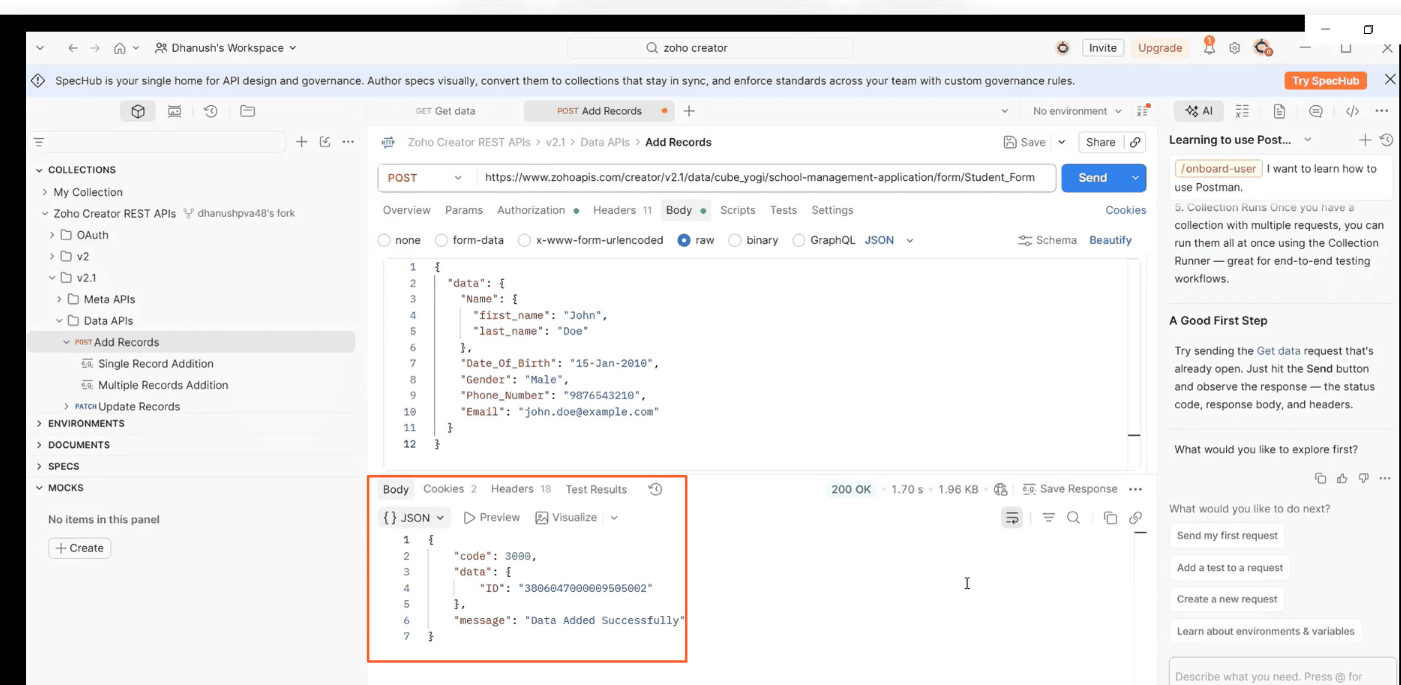
Zoho Creator API Collection In Postman
Here is our approach for using the official Zoho Creator API collection in Postman.
Even a non-technical person can easily set it up in just a few steps.
Approach
We can test and manage Zoho Creator APIs in Postman using the steps given below.
1.Fork the Official API Collection
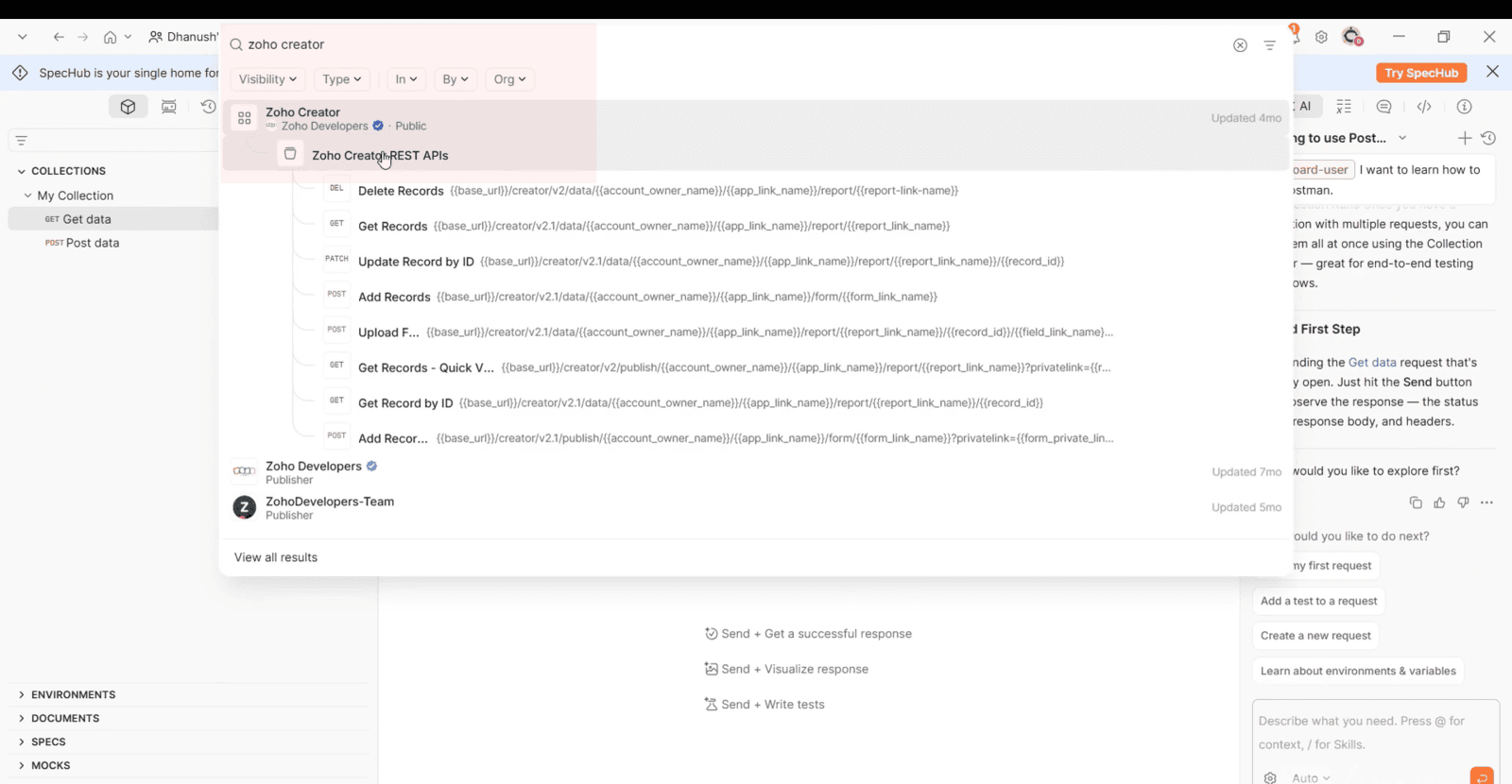
1.1 Open Postman, search for "Zoho Creator" in the top search bar, and locate the official Zoho Creator REST APIs collection published by Zoho Developer
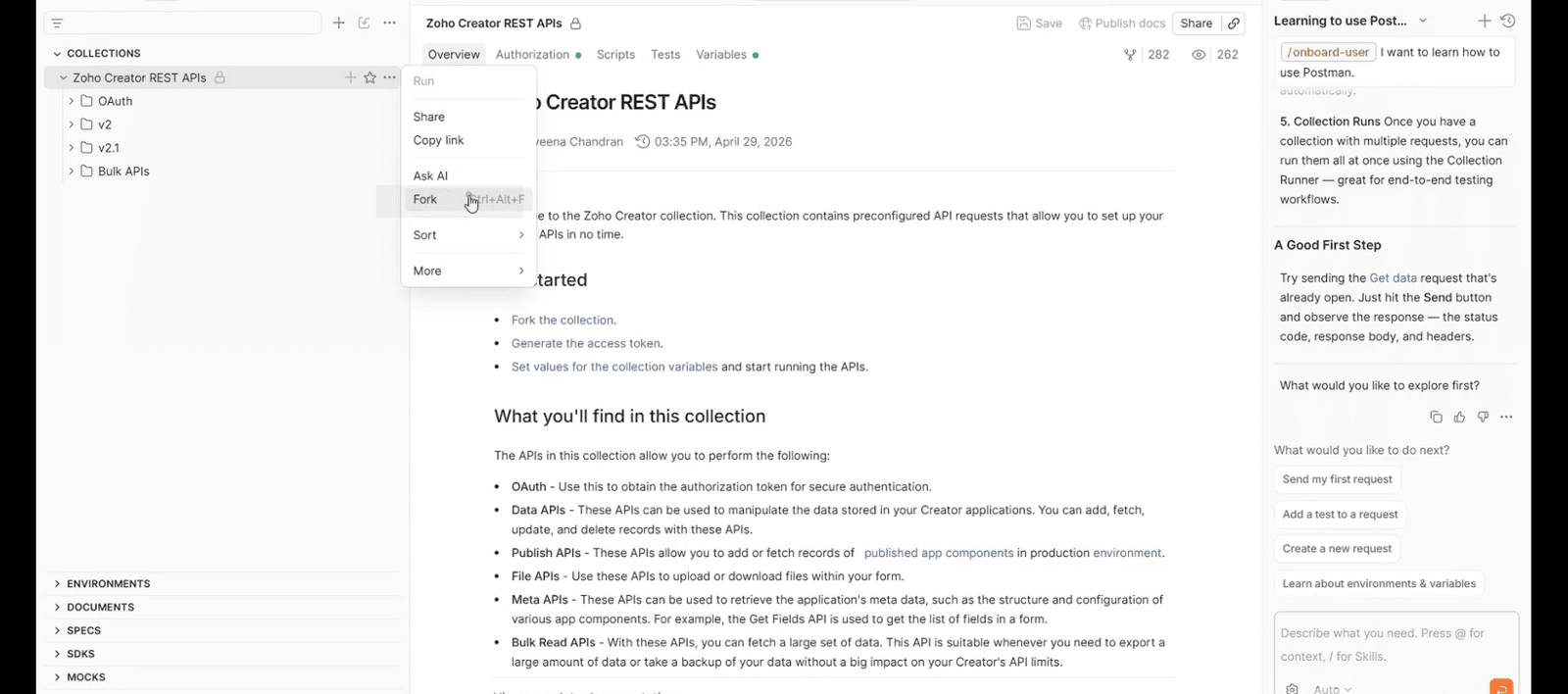
1.2 Click on the collection options menu, select **Fork**, name your fork label, and click **Fork Collection** to create a local copy on your active workspace
2.Configure API Request and Authentication
2.1 Once forked, open the version 2.1 directory,
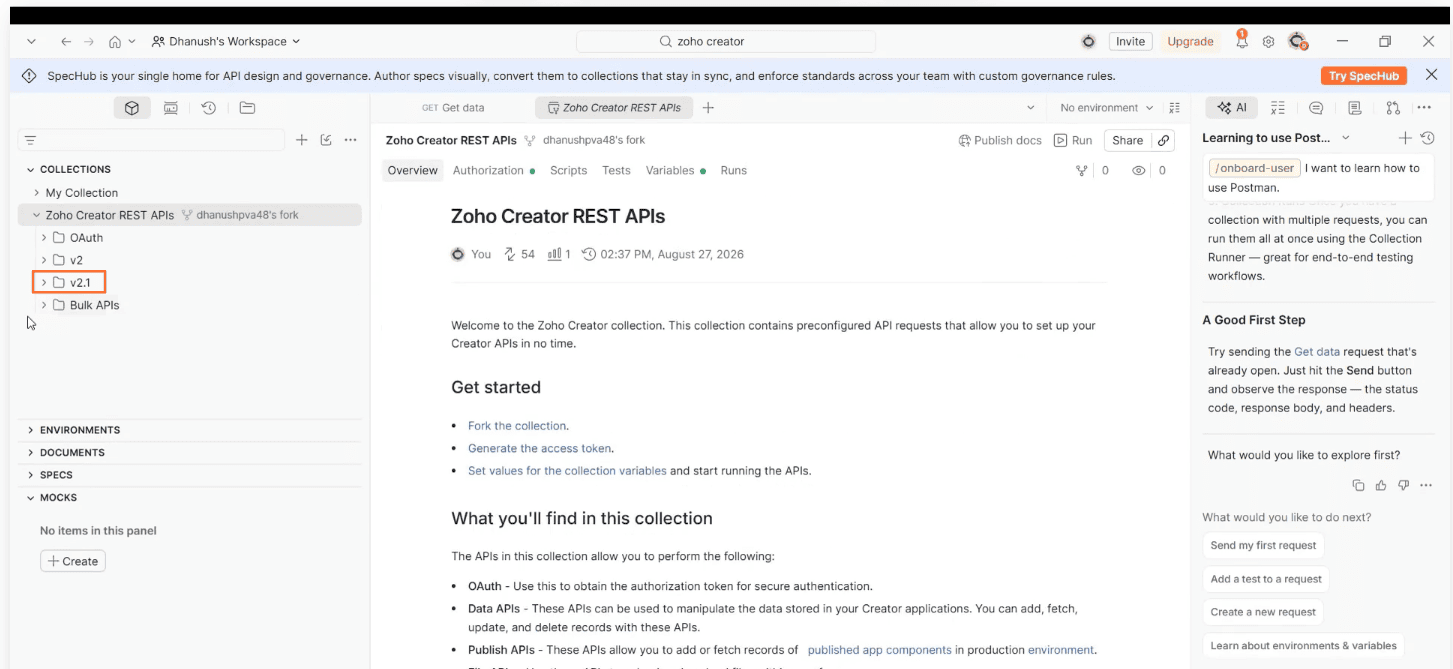
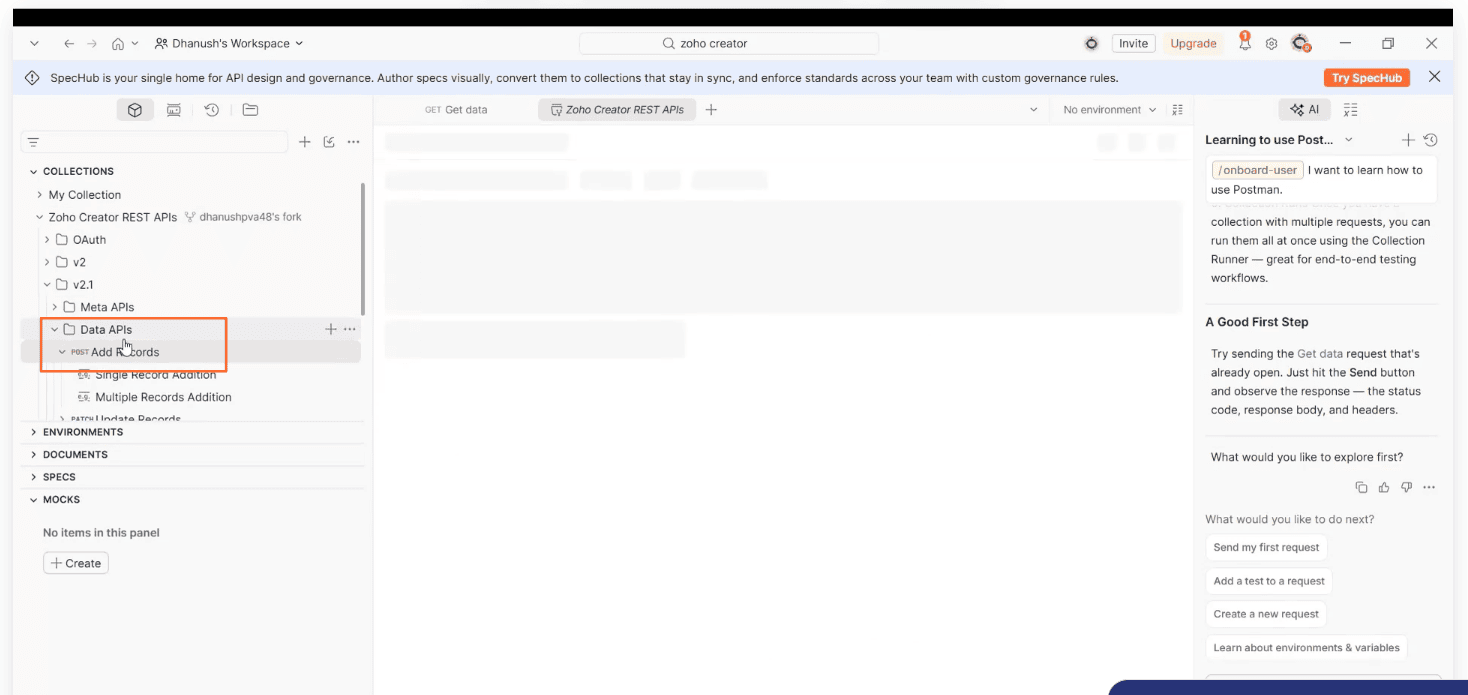
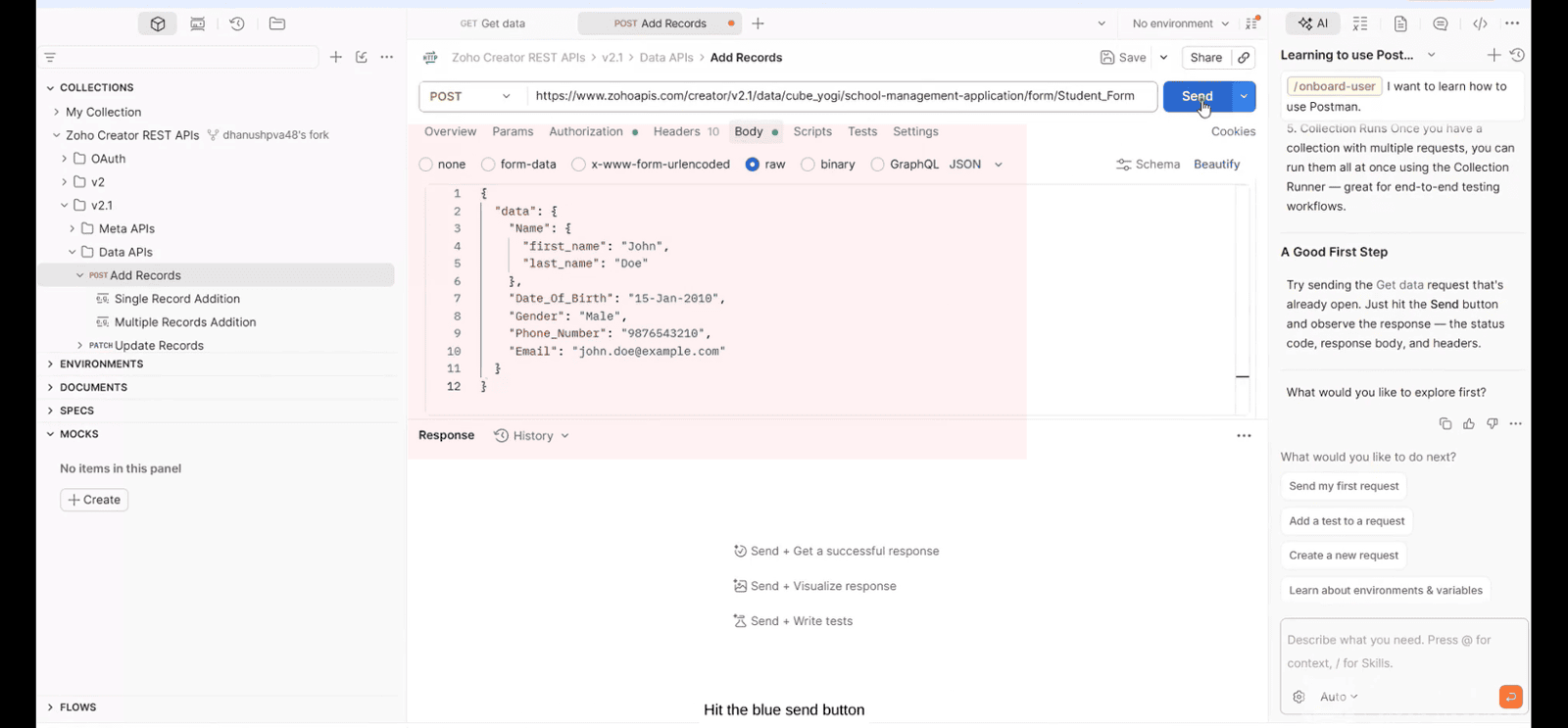
2.2 Under V2.1 Select Data API in that Select Add Records
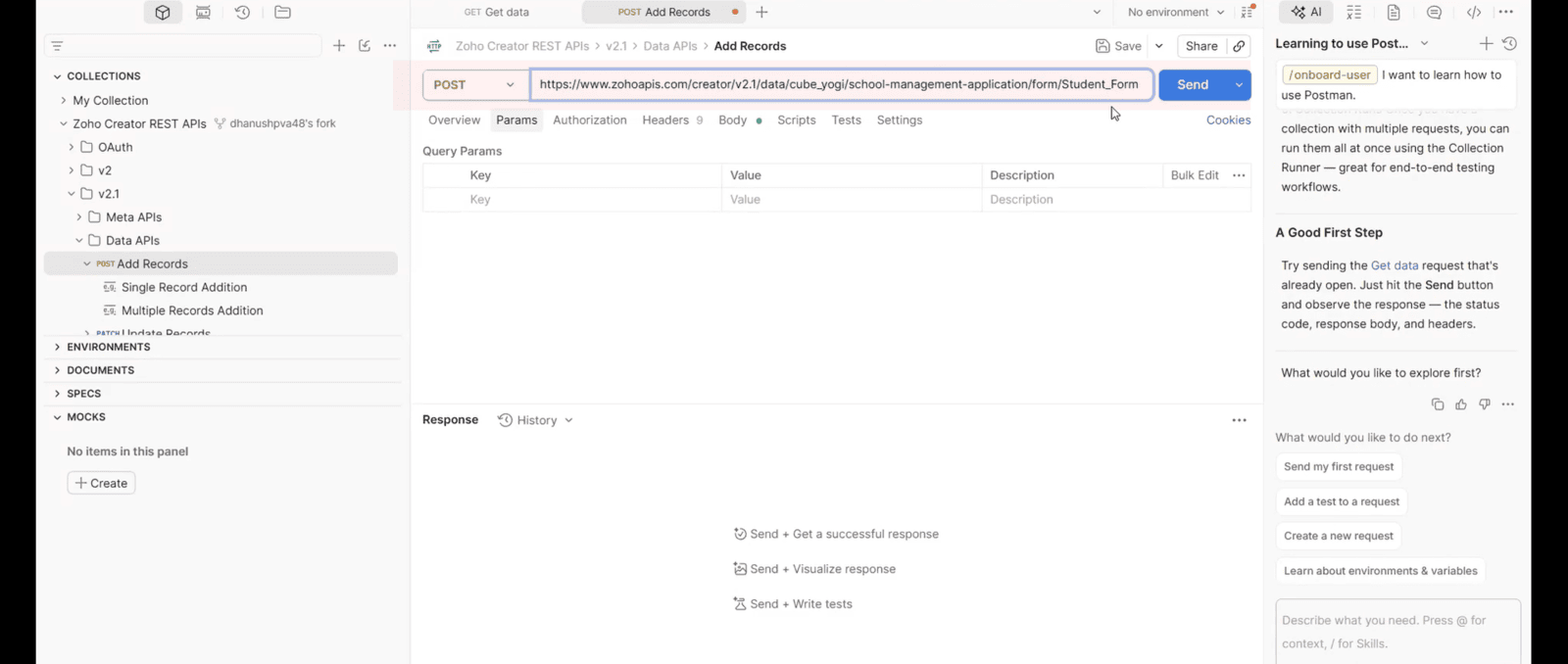
2.3 In the request URL bar replace the template placeholder with your actual Zoho Creator Endpoint URL specifying your Acccount Owner Name Application Link Name and Form Link Name
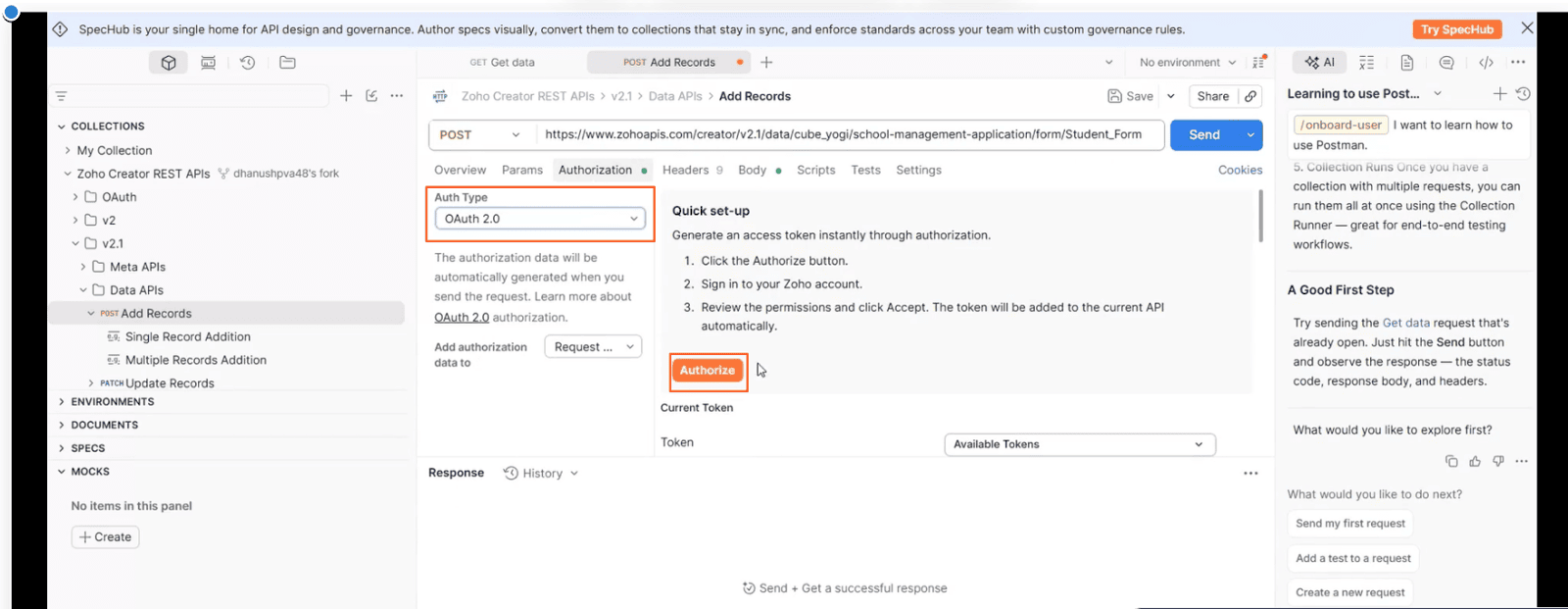
2.4 Set 0Auth to 2.0 and Clicl Authorize
3.Set Body Payload and Send Request
3.1 Switch to the **Body** tab and Set to **Raw JSON**
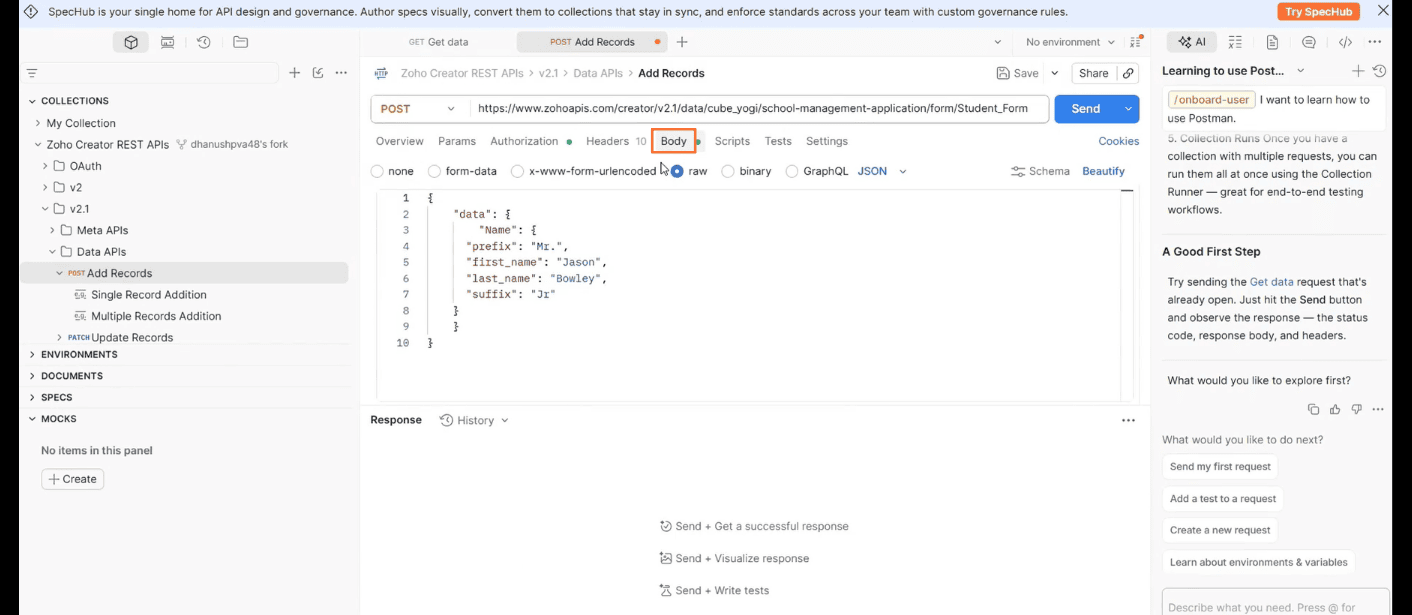
3.2 Hit the Send button to see the response
You Will Recieve A Success Response Like this