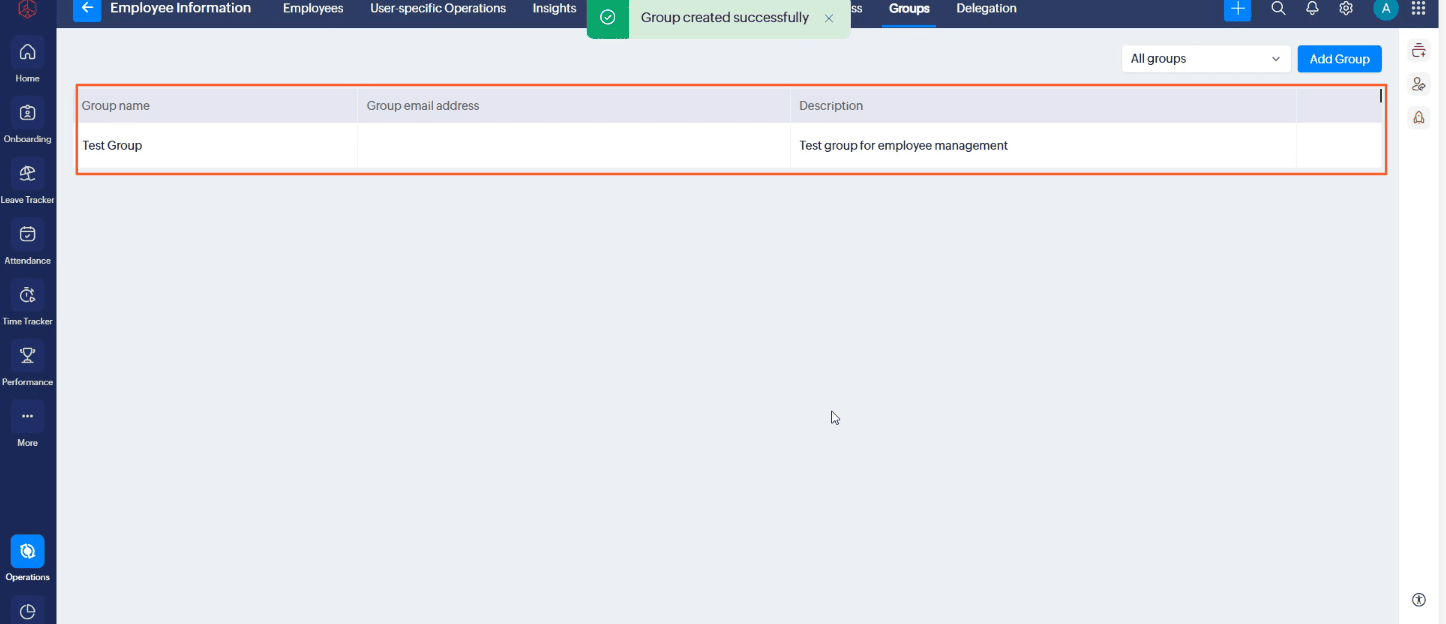
Create and Assign Groups
Here is our approach for creating and assigning groups in Zoho People in a few simple steps.
Even a non-technical person can easily set it up in just a few steps.

Approach
We can create and assign groups in Zoho People using the following steps
1. Creating A group
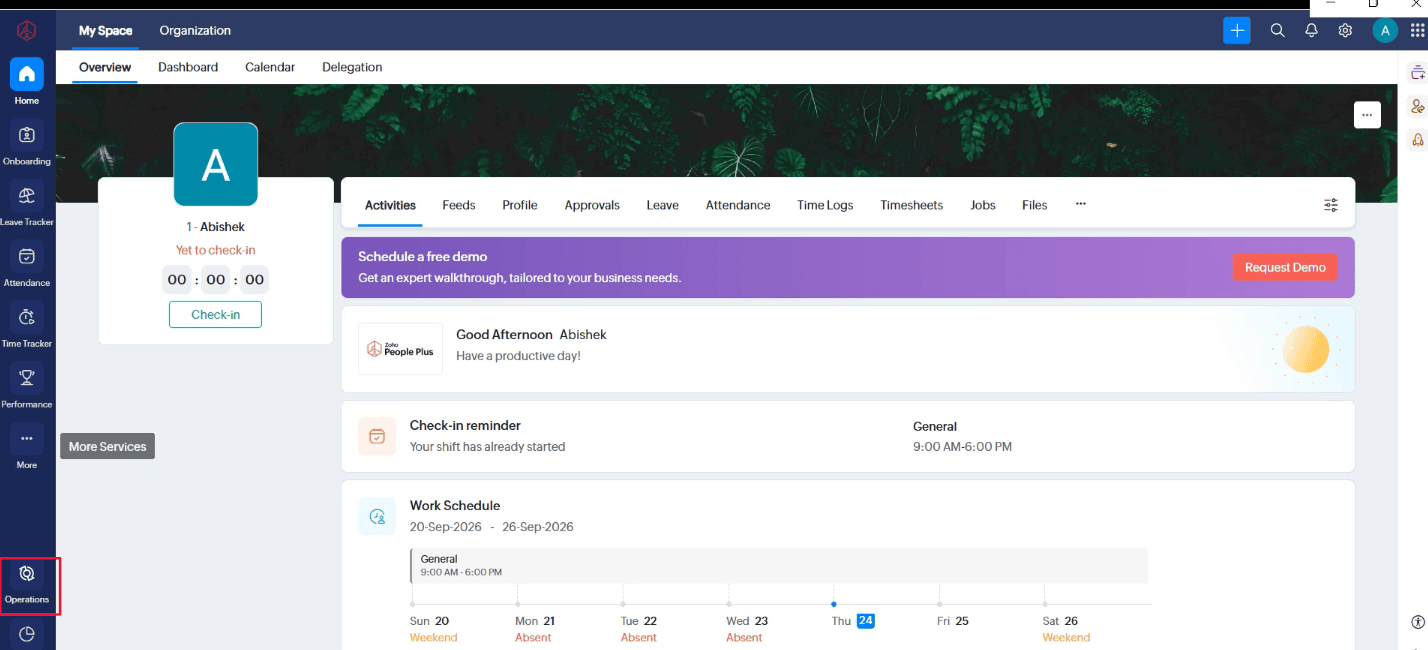
1.1 Go to "Operations"
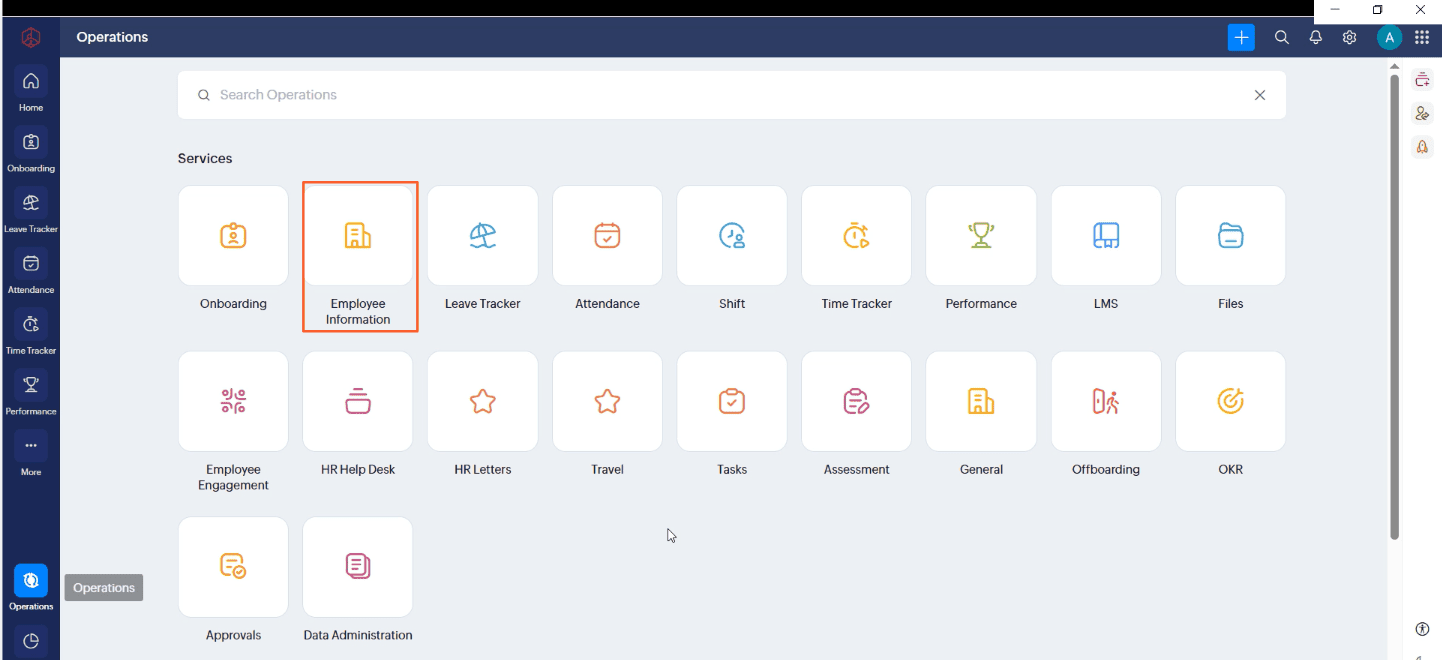
1.2 Click "Employee Information"
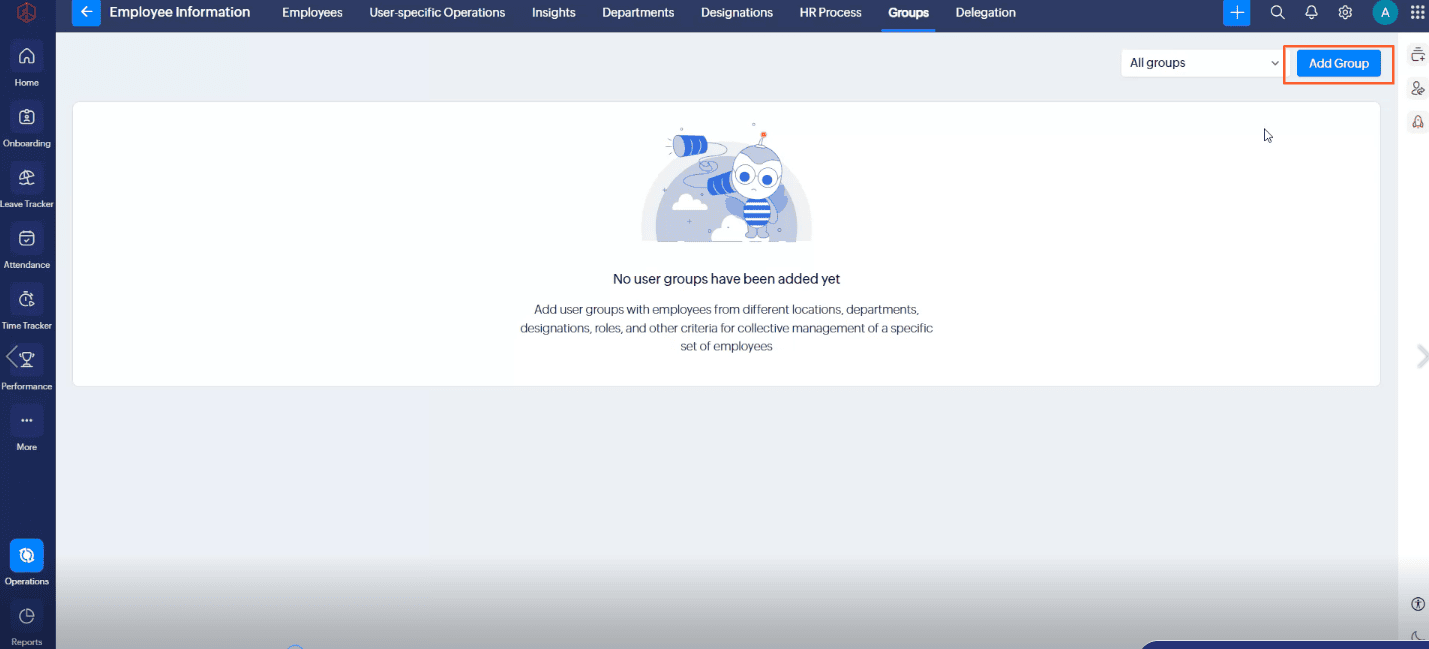
1.3 Click "Groups" Tab on Employee Imformation
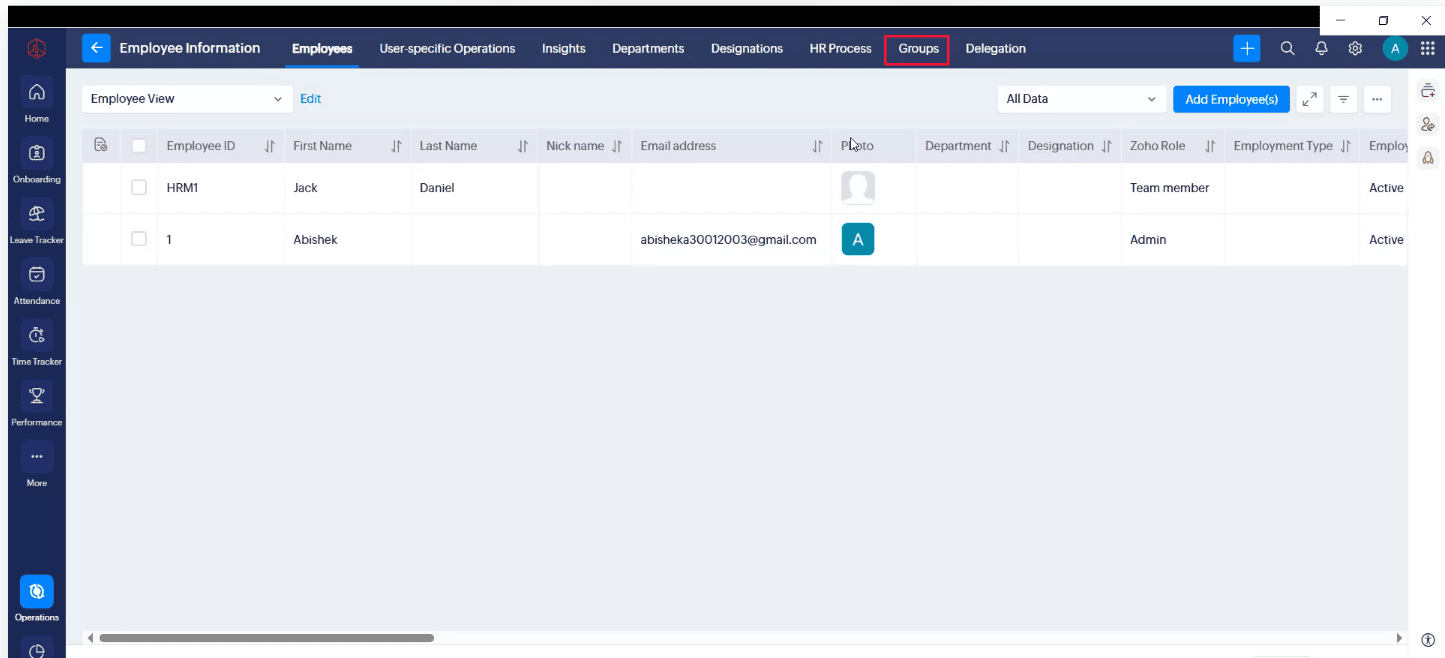
1.4 Click "Add Group"
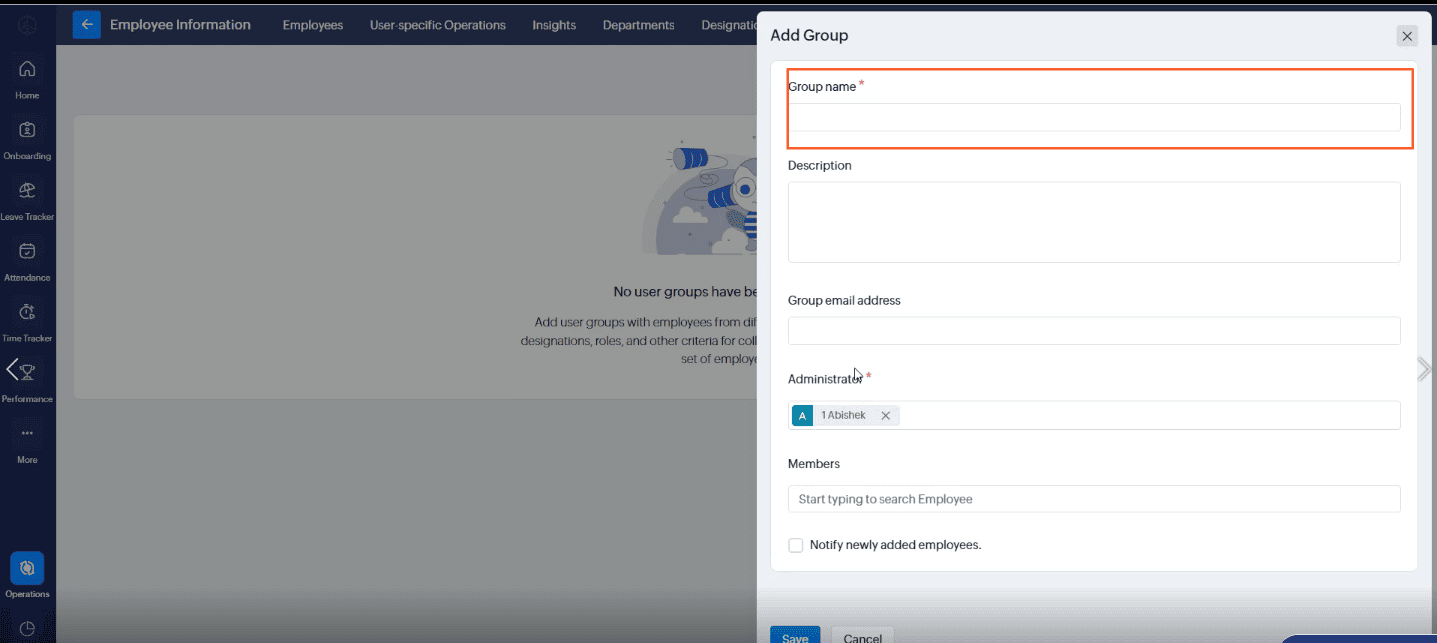
1.5 Add "Group Name" and "Description"
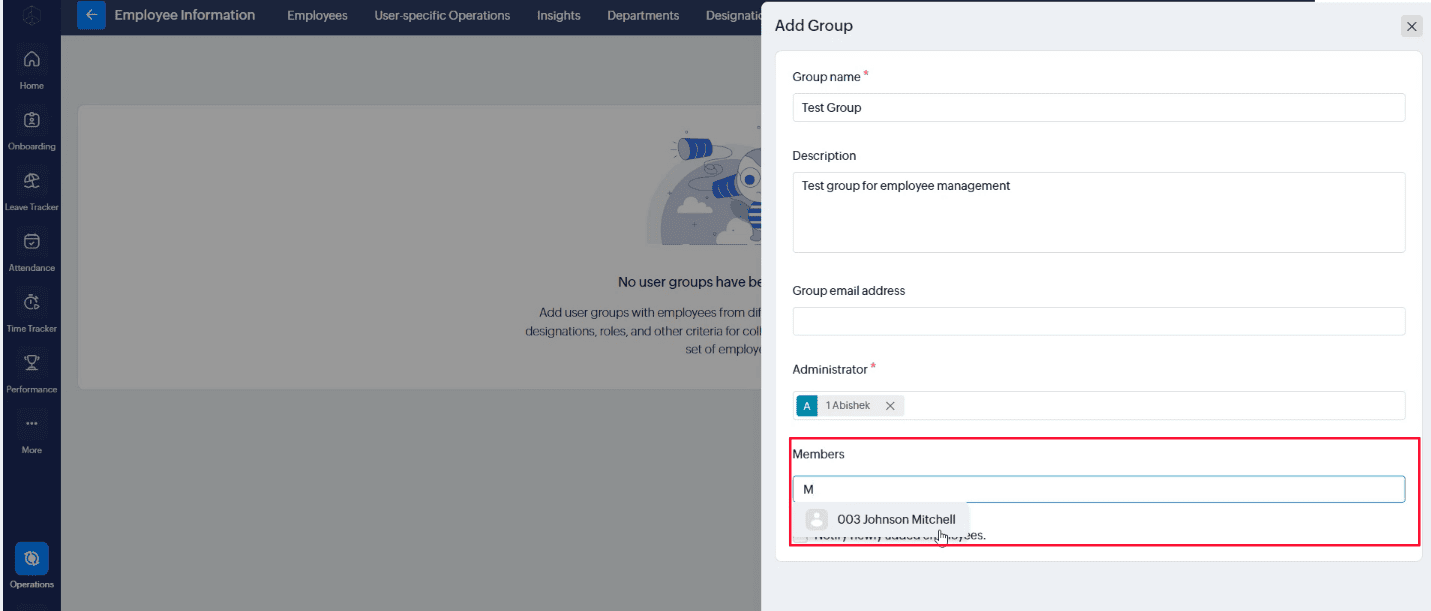
1.6 Add "Group Administrator" and Members"
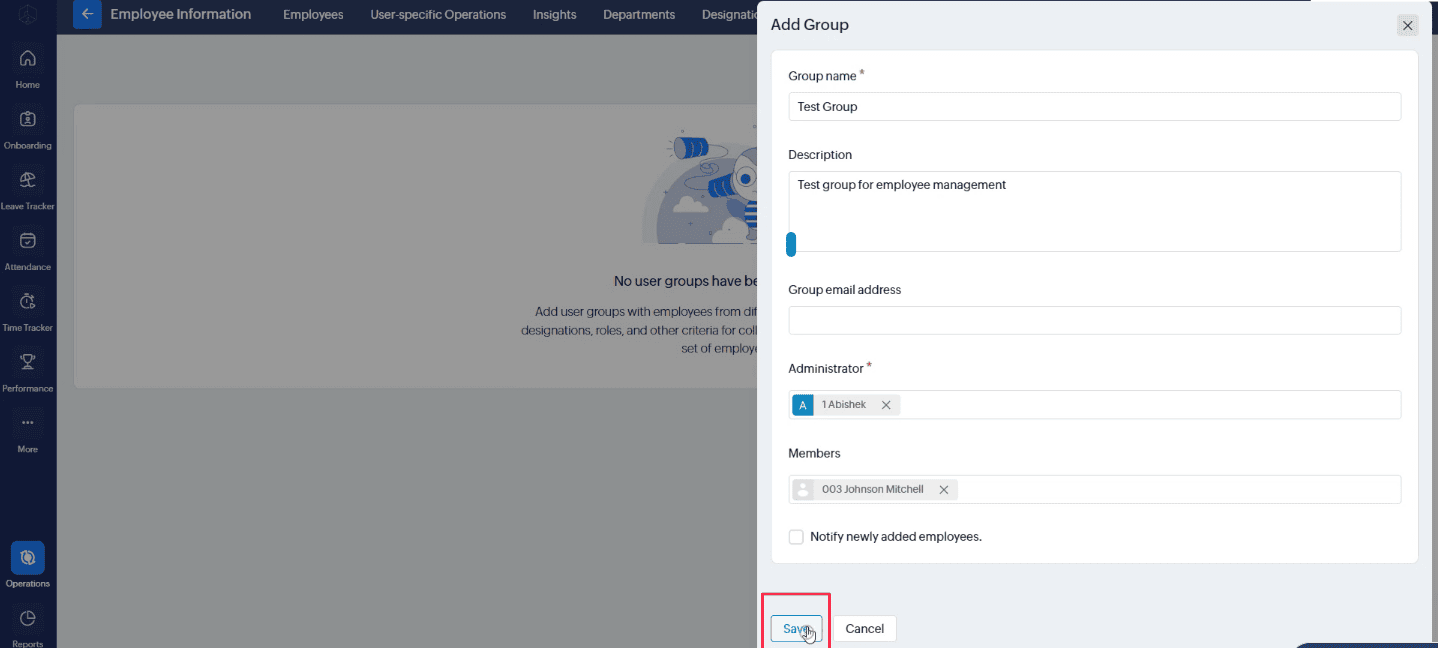
1.7 Click "Save" on Add Group Tab
1.8 You can "View Or Update" created Groups under Groups Tab