
Create and Assign Employee Shifts
Here is our approach for creating and assigning employee shifts in Zoho People in a few simple steps.
Even a non-technical person can easily set it up in just a few steps.

Approach
We can create and assign employee shifts in Zoho People using the following steps.
1. Creating an Employee Shift
1.1 Goto "Operations" and select "Shift"
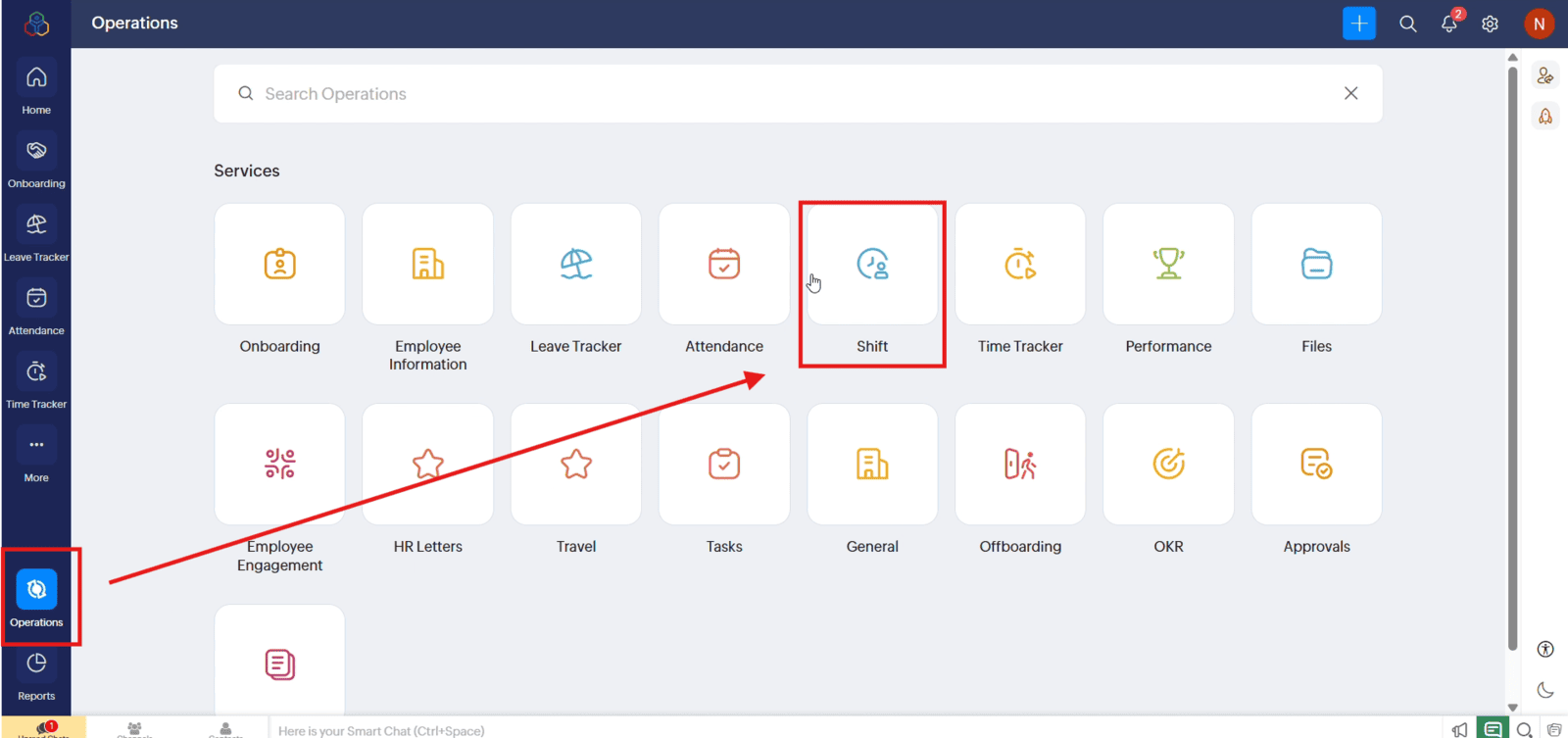
1.2 Under "Manage Shifts", click "Add Shift"
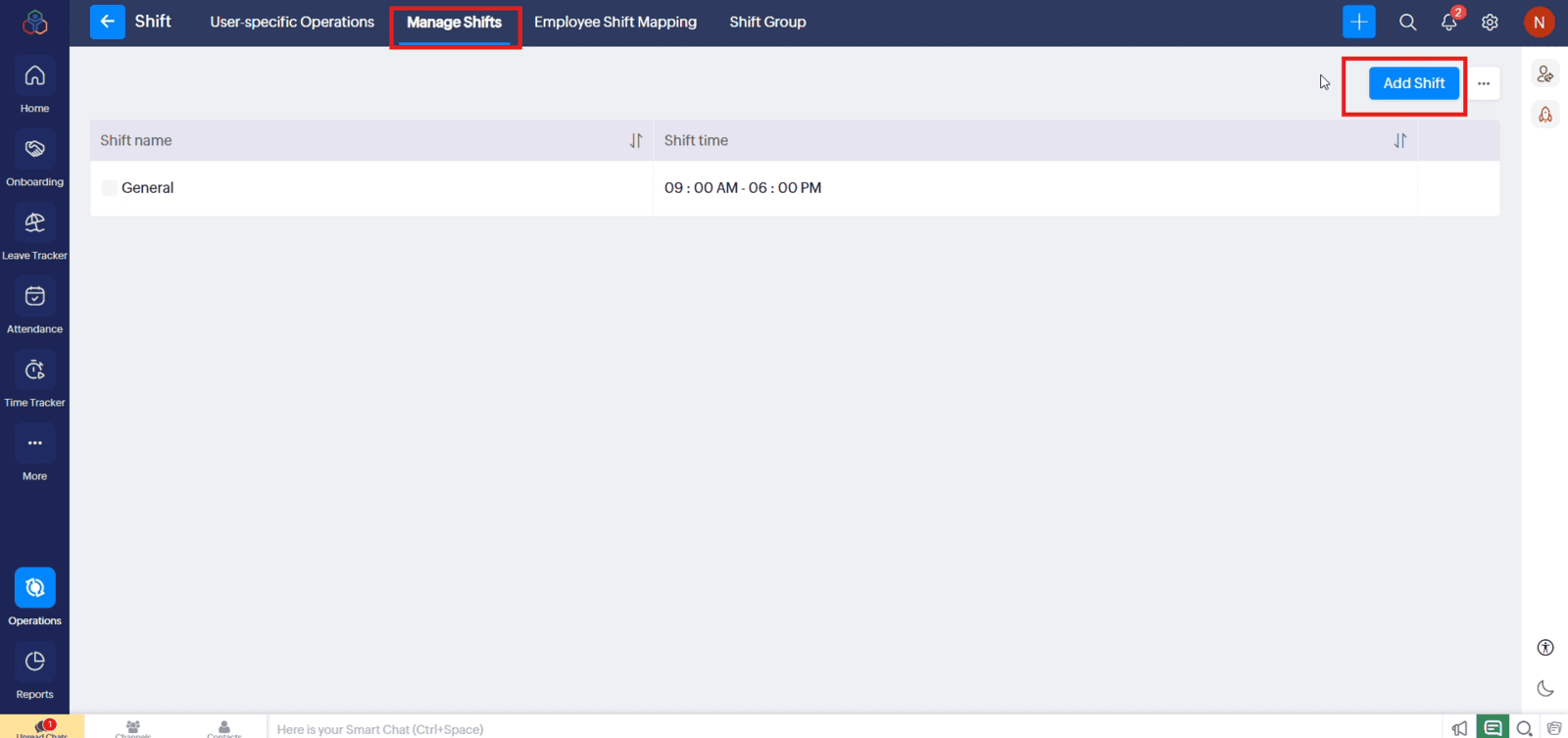
1.3 Enter the shift name and set the From and To times.
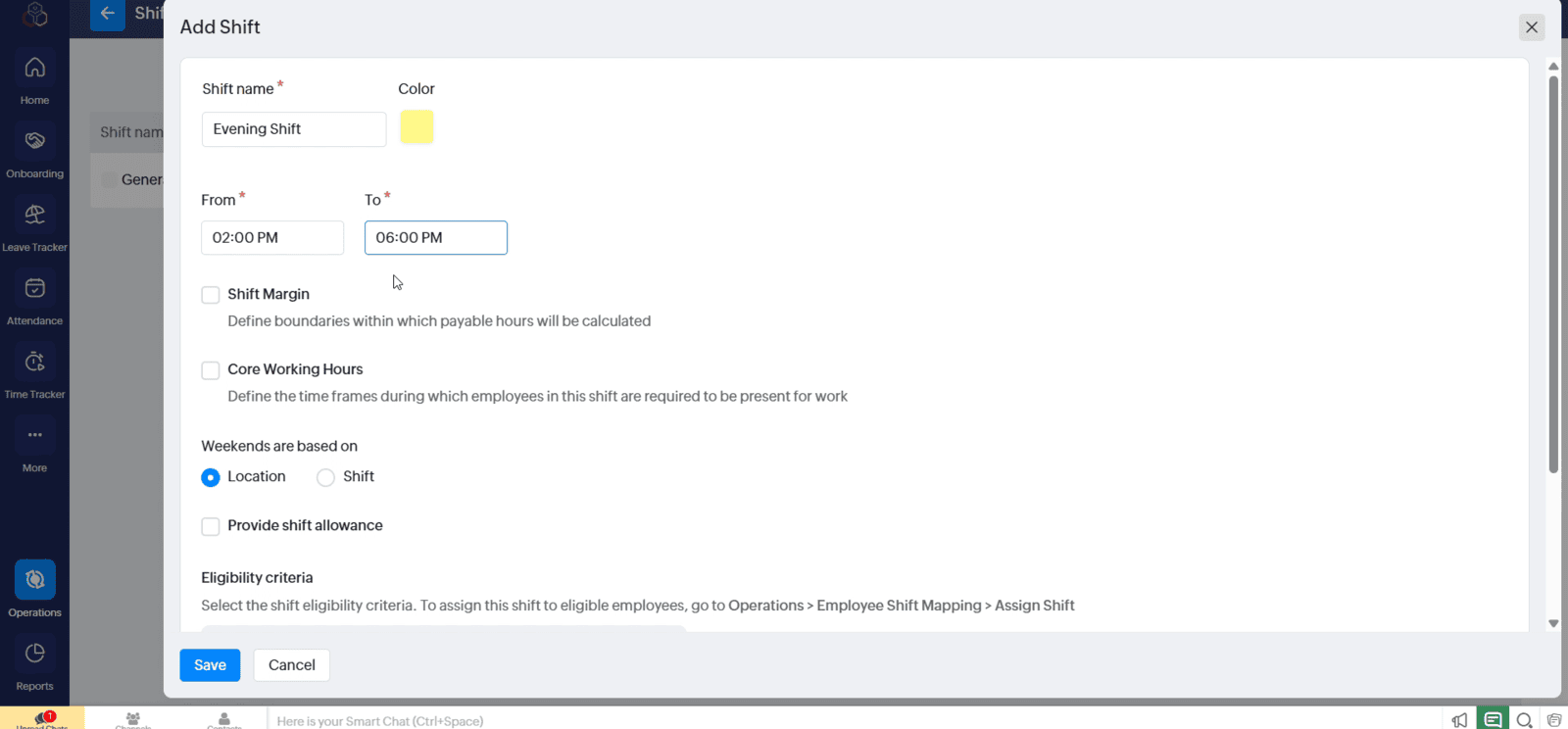
1.4 Configure additional options, if required, then click "Save" to create the shift
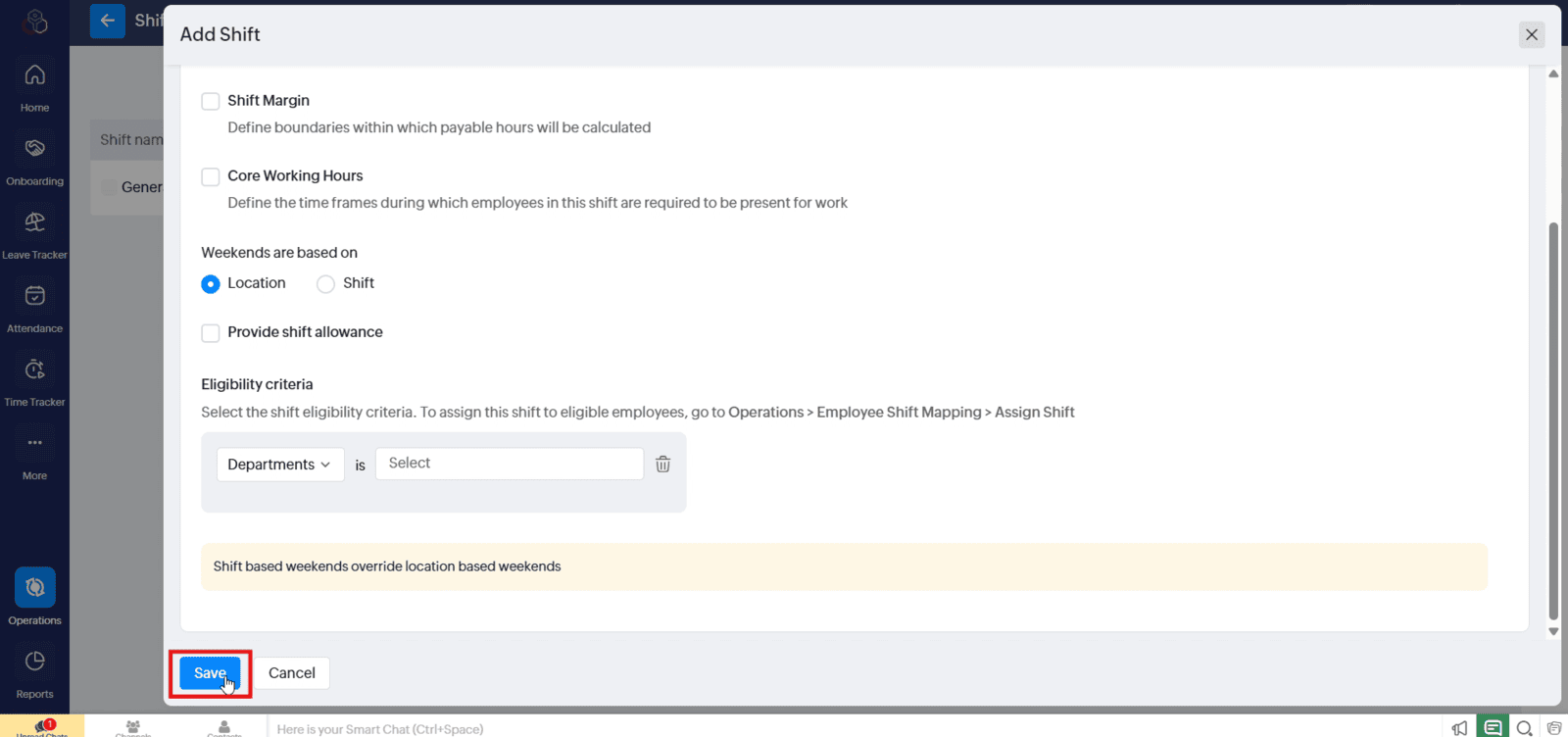
2. Assigning an Employee Shift
2.1 Goto "Attendance", under "Team" tab, select "Shift Schedule"
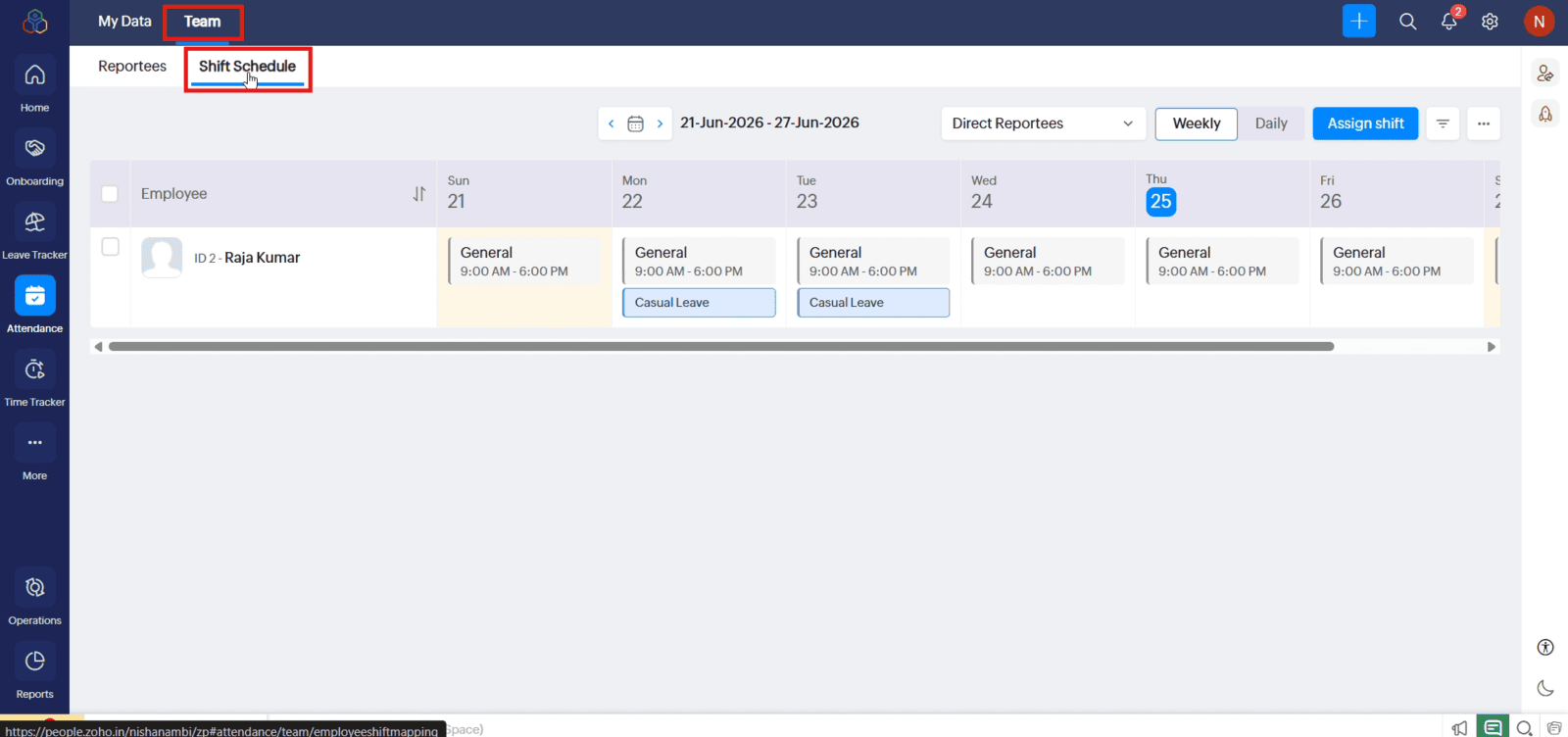
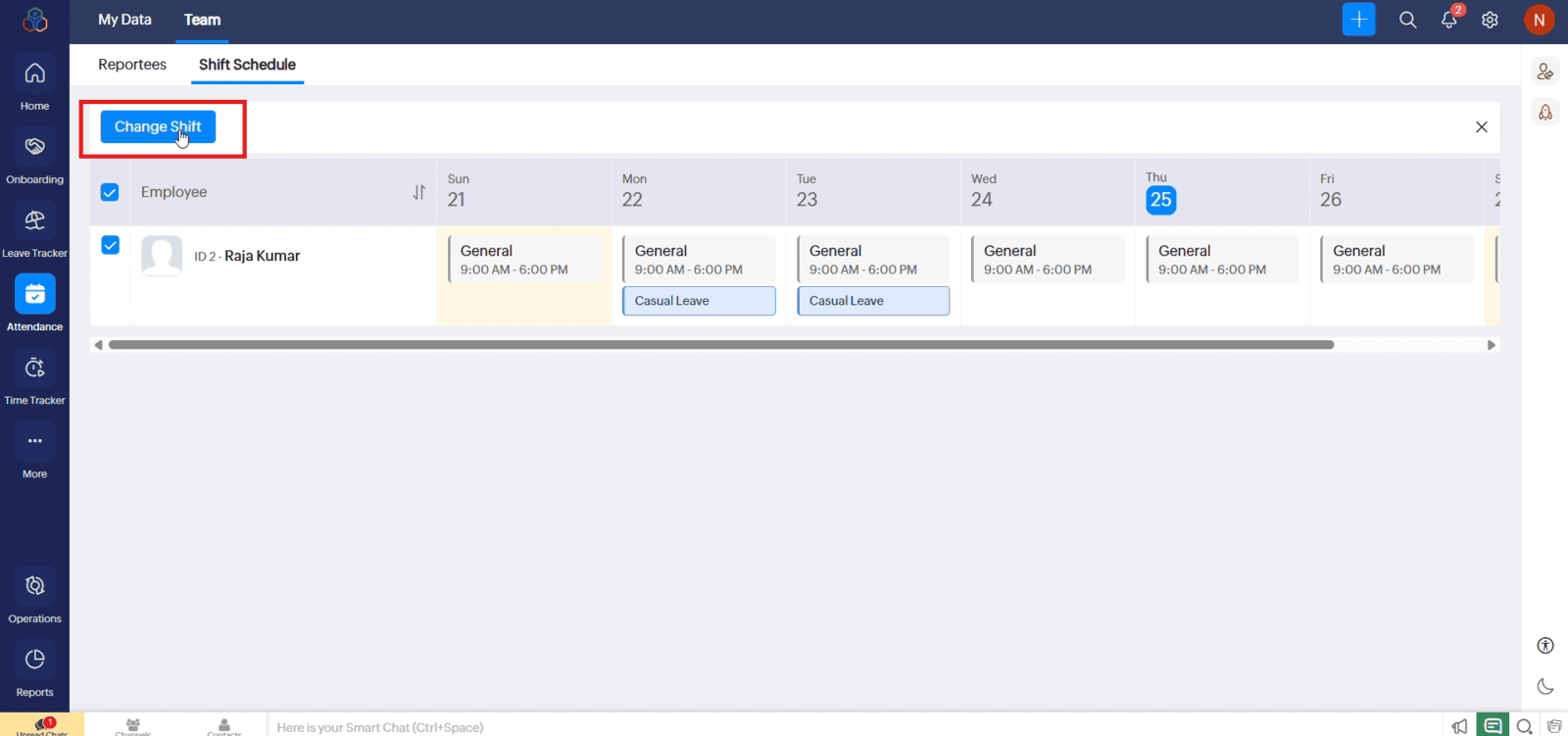
2.2 Select the employee and click "Change Shift"
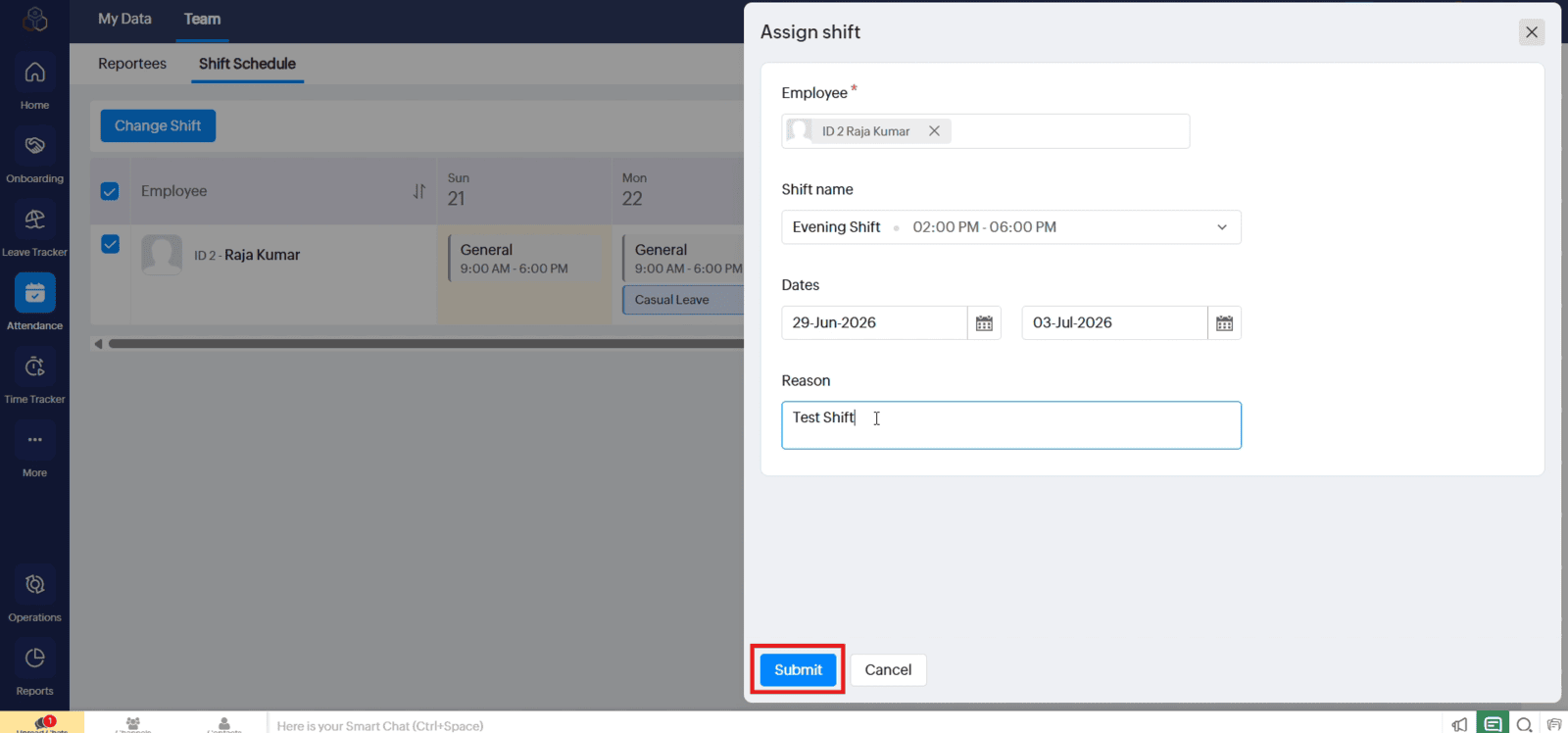
2.3 Choose the shift name, set the date range, enter a reason if required, and then click "Submit"
Video: Create and Assign Employee Shifts in Zoho People
Here is the video explanation of the above steps.