
Case Study — Short-Term Rental Operations
One property code, one source of truth for every booking, task and message.
CubeYogi built Guesty a Zoho Creator operations layer that turns raw Airbnb API data into daily-runnable work — bookings, cleaning schedules, room-level inventory, and guest & owner messaging, all keyed off the same property code.
About Guesty
Guesty is a property management platform built for short-term rental operators — from independent hosts to multi-market management companies running hundreds of listings across Airbnb, Booking.com, Vrbo and other channels.
An operation running a growing Airbnb-connected portfolio still needs a day-to-day execution layer underneath that: something that turns a booking into a cleaning task, tracks what's actually inside each room, and keeps every owner and guest thread in one inbox instead of scattered across accounts. That's the layer CubeYogi built, in Zoho Creator, wired directly into the Airbnb API.
Every booking created five other jobs, in five other places.
A confirmed reservation is the easy part. What happens after — who cleans, what the room needs, who answers the guest, who tells the owner — had no shared home.
Reservations
Booking capture
- New Airbnb bookings entered by hand, separately from the listing record
- Nightly rate, fees and totals recalculated manually per stay
- No single view of what's arriving this week across the portfolio
Field Ops
Cleaning & check-in
- Cleaning and check-in jobs not automatically generated from a booking
- No calendar view of who's cleaning what, and when, across staff
- Owner check-ins needed different handling than guest check-ins
Guest & Owner
Communication
- Guest and owner threads lived only inside Airbnb, not the ops system
- No shared inbox for staff to pick up an open conversation
- Reservation context wasn't visible next to the message thread
Property Data
Inventory & setup
- What's actually in each room lived in nobody's system
- Cleaning complexity and instructions weren't tied to the property record
- Owner and management-fee details set up inconsistently per listing
A Zoho Creator app wired straight into the Airbnb API.
Six connected modules, each keyed to the same property code, so a booking, a cleaning job, a room inventory item and a guest message all point back to one record.
Onboard the property once
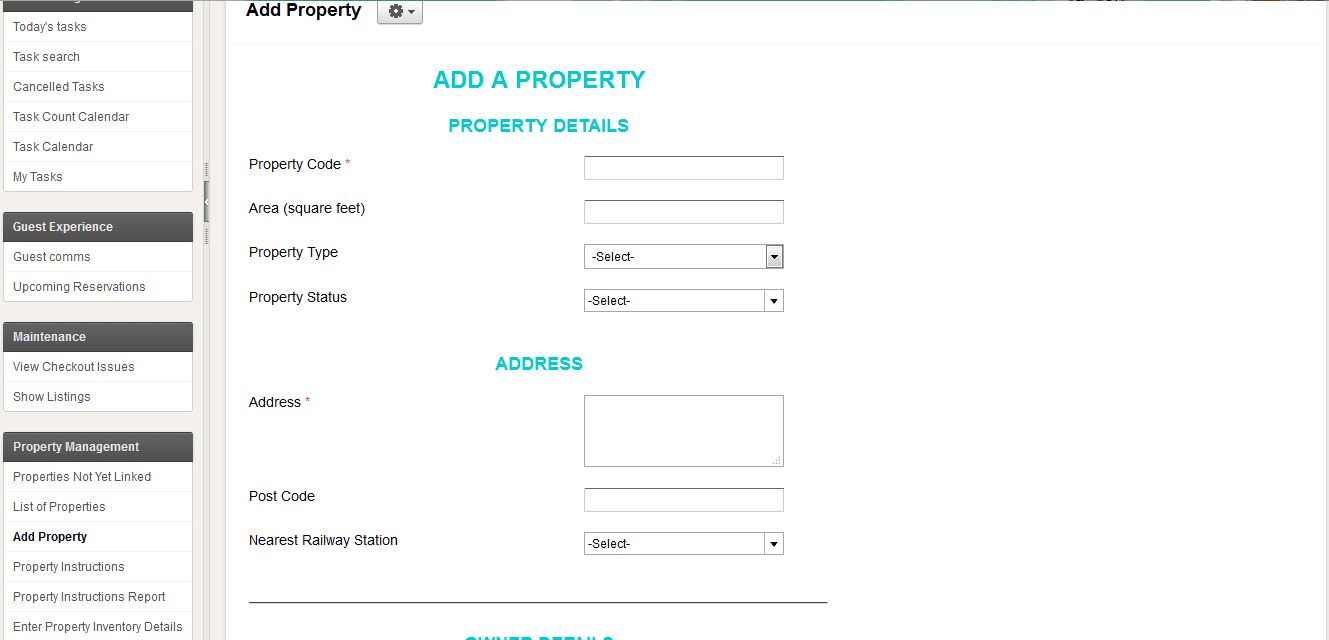
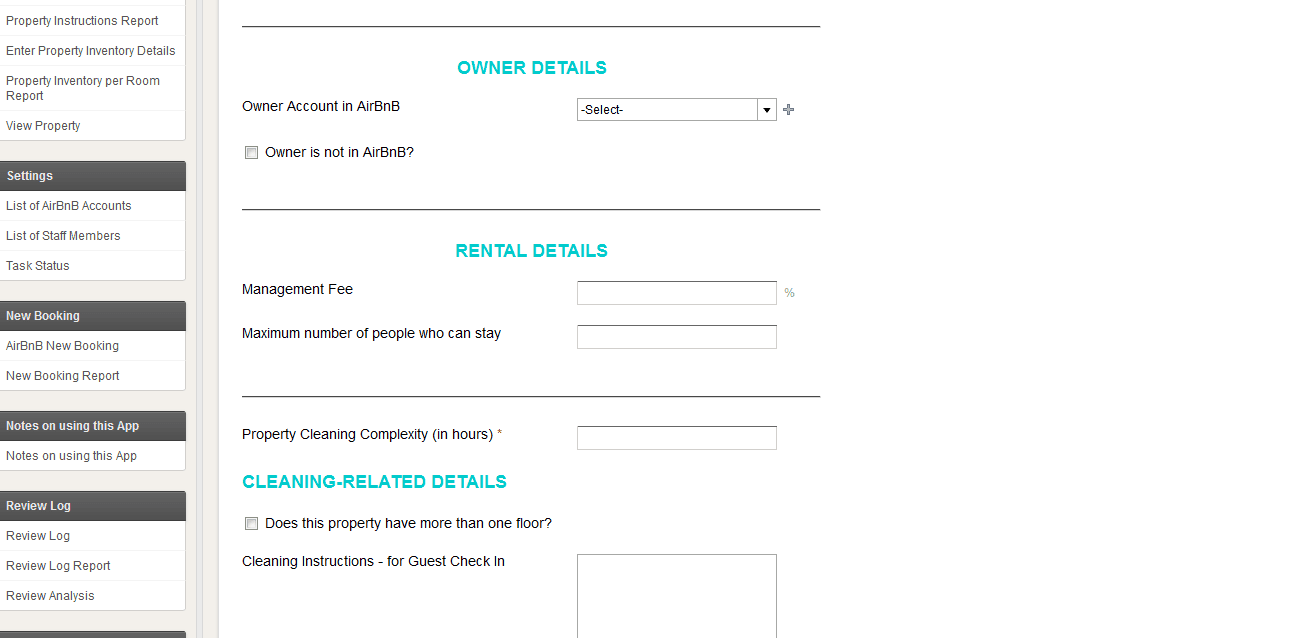
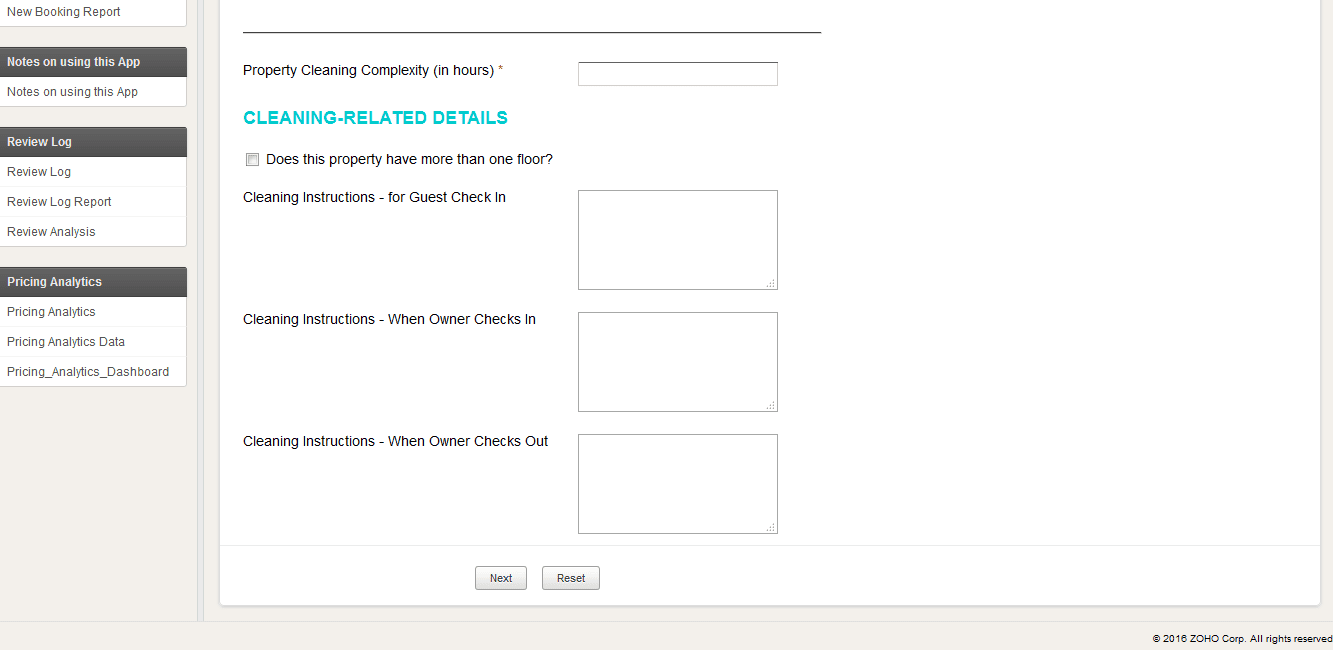
Every listing goes in through a single Add Property flow — property code, area, address and status, owner details pulled from their Airbnb account, management fee, maximum occupancy, and cleaning complexity in hours.
Guest check-in, owner check-in and owner check-out each get their own instructions field, so field staff and owners never get the wrong version.
Configure how the listing actually runs
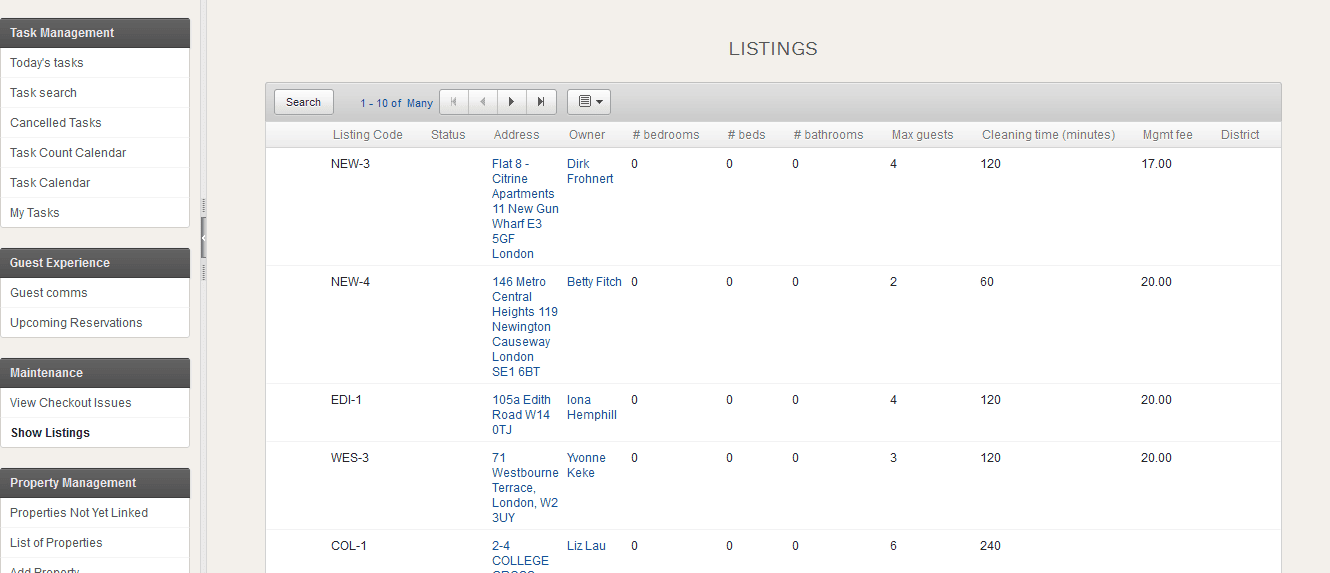
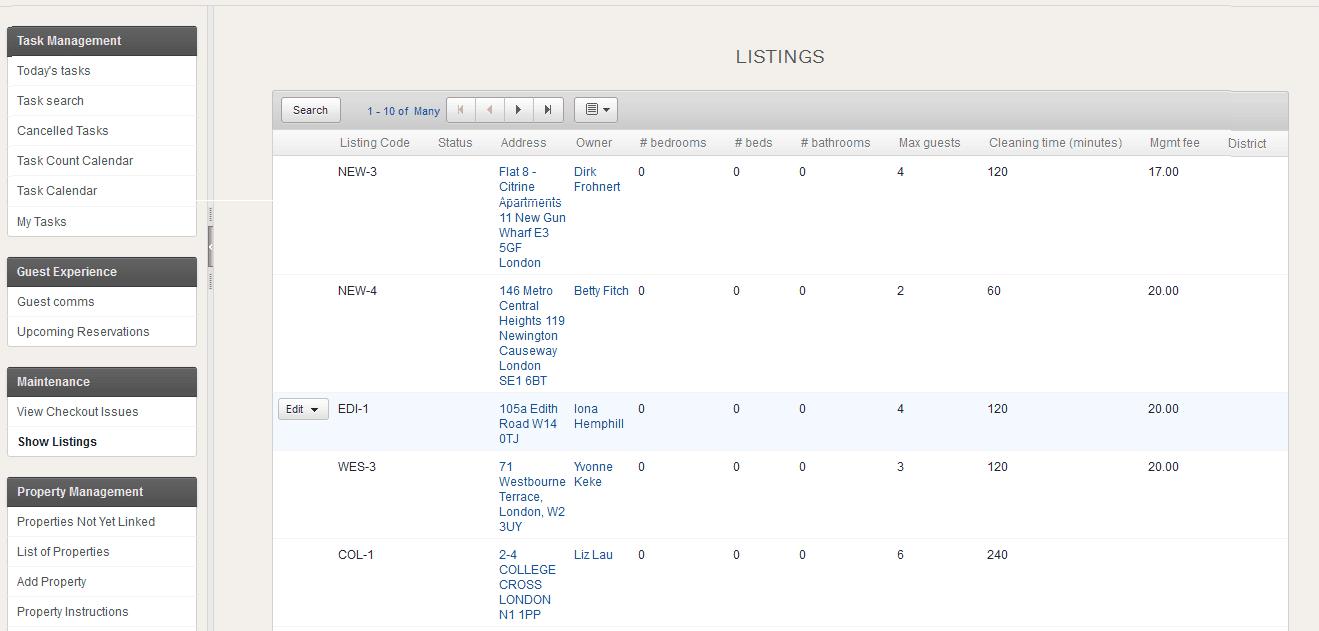
Once a property exists, the Listings view is where its operational shape lives — bedrooms, beds, bathrooms, max guests, cleaning time in minutes, management fee and district — the numbers that drive every task and every payout downstream.
Capture the booking against the Airbnb listing
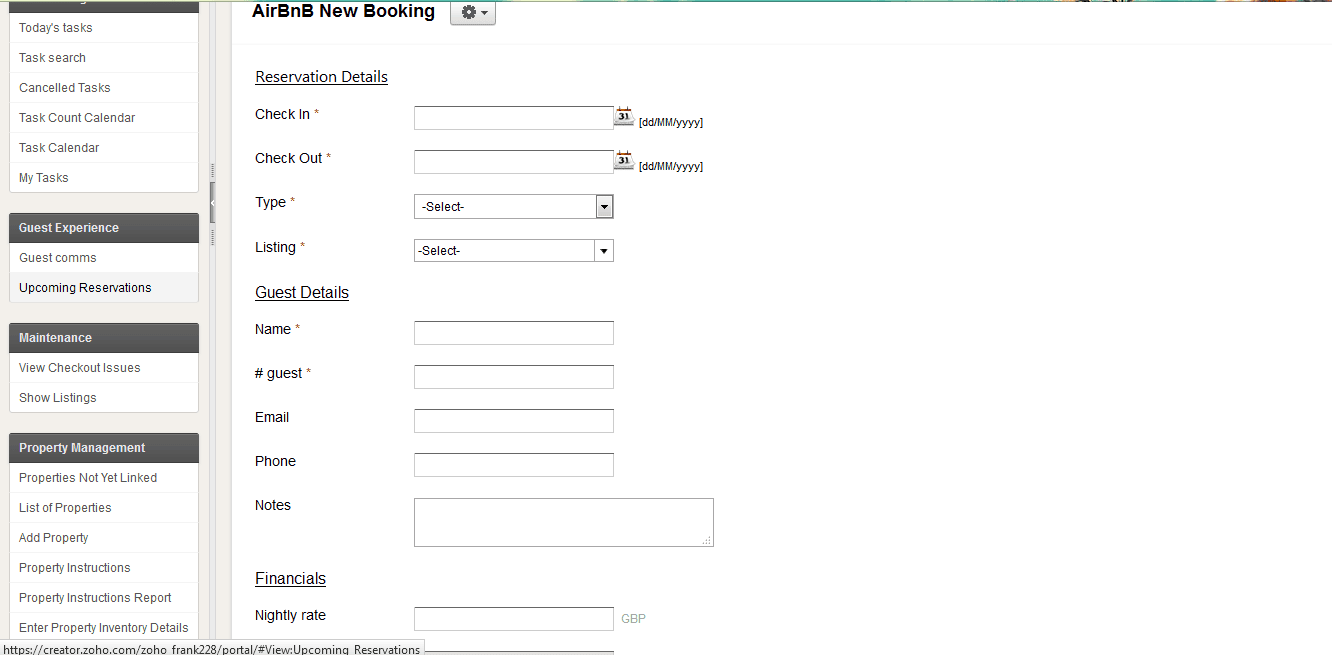
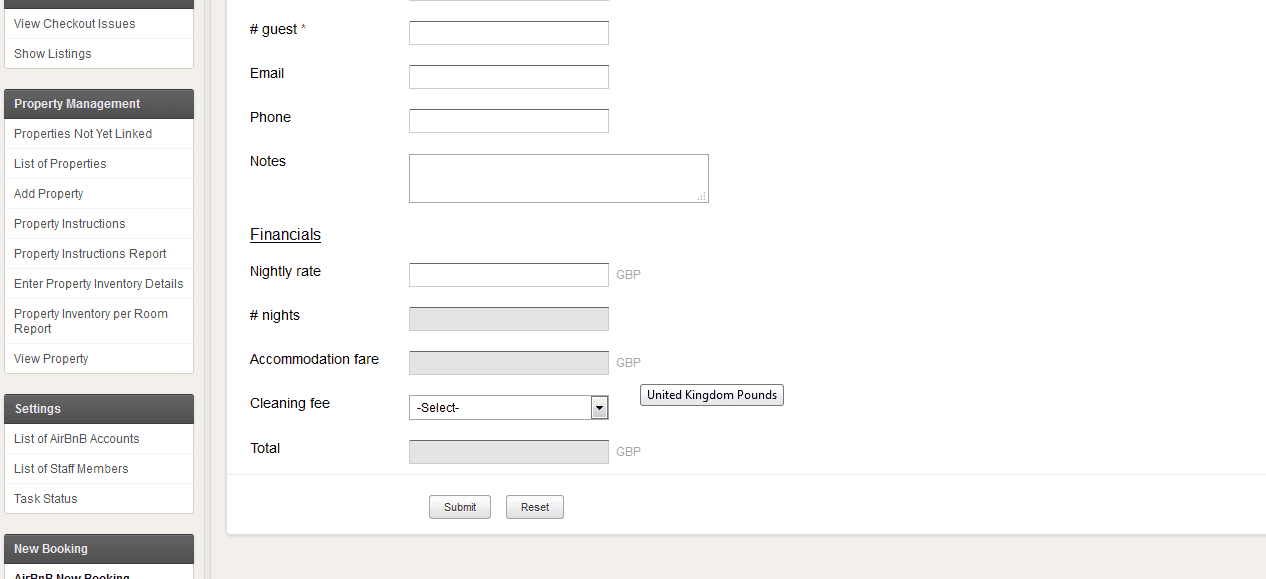
New reservations are logged straight against the linked listing — check-in and check-out, guest details, and financials worked out automatically: nightly rate × nights, plus cleaning fee, to a total, in the owner's currency.
See every arrival before it happens
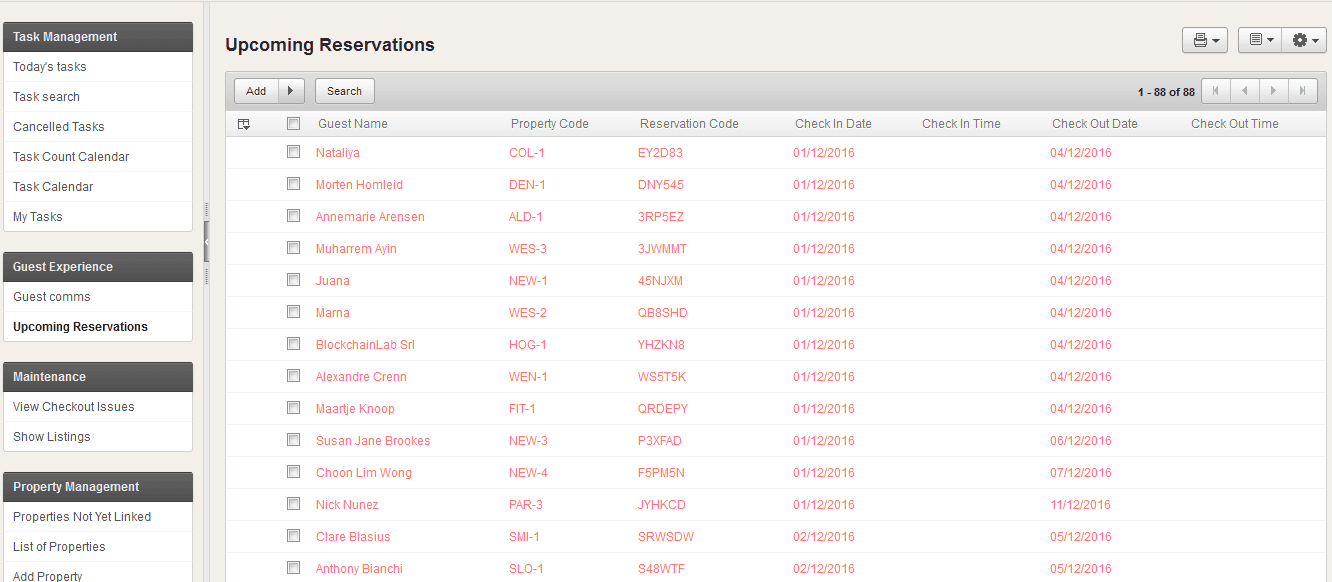
The Upcoming Reservations report rolls every confirmed stay into one list — guest name, property code, reservation code, check-in and check-out — so ops can plan the week instead of reacting to it one booking at a time.
Turn each booking into field work automatically
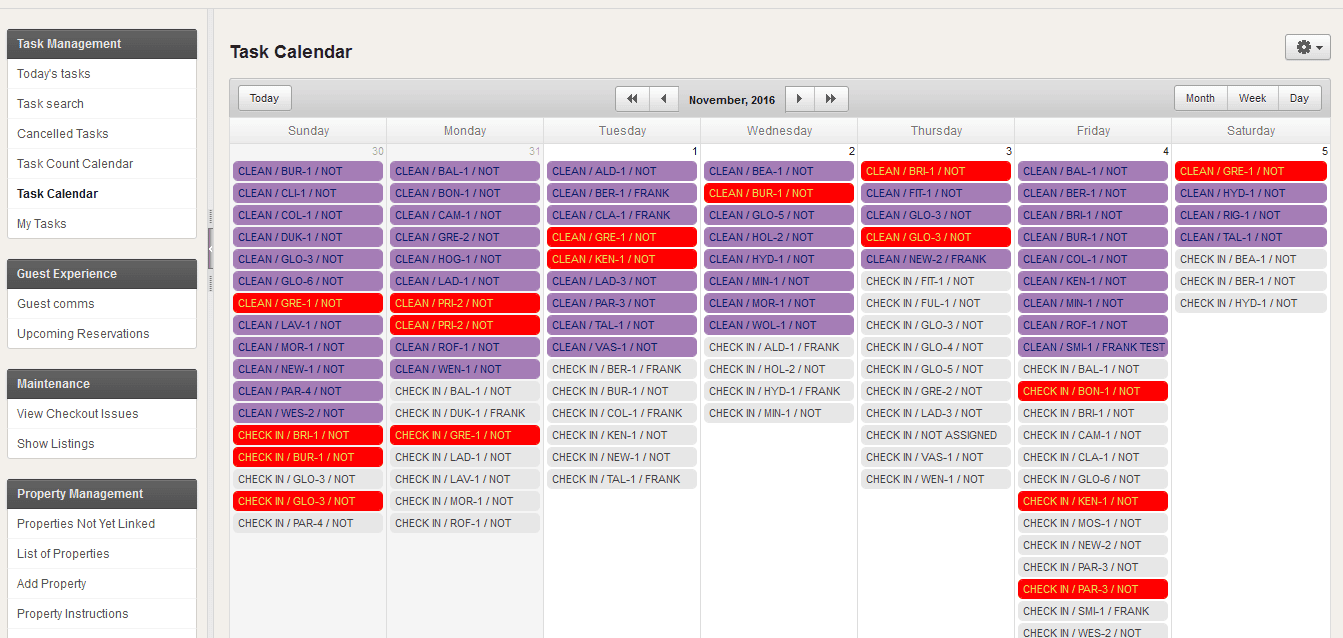
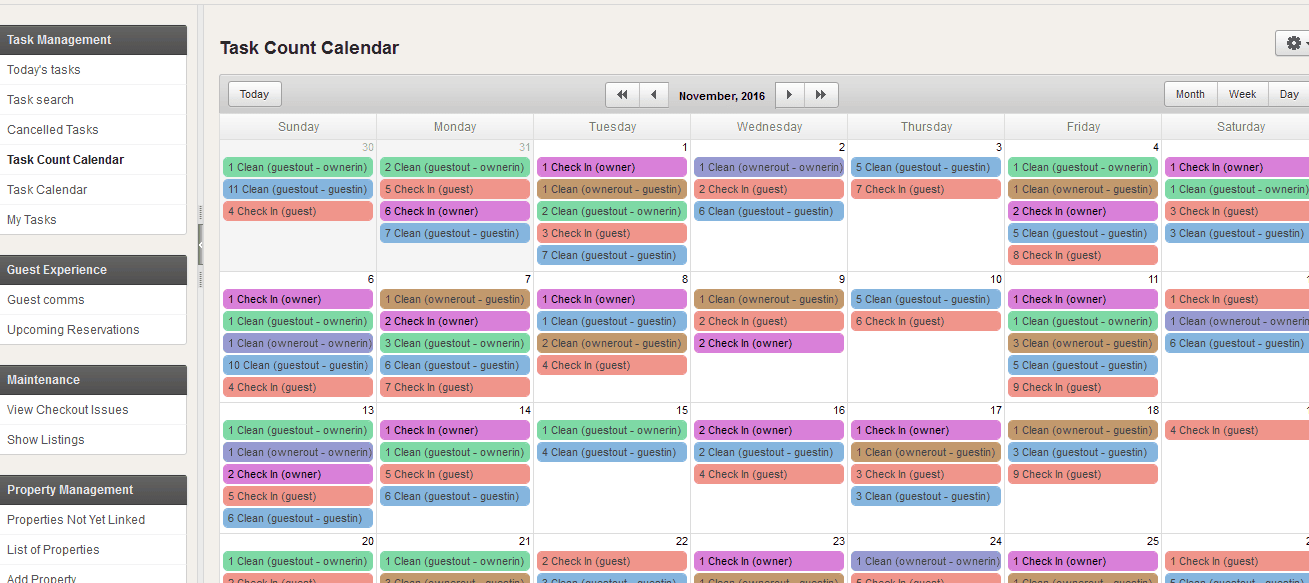
Every reservation spins off its own CLEAN and CHECK IN tasks onto a shared Task Calendar, colour-coded by staff member and labelled by property code — so who's doing what, where, is visible for the whole week at once. A separate Task Count Calendar rolls that same data up by type: guest-in, guest-out, owner-in, owner-out — a daily read on field workload before anyone opens a single task.
Know what's actually inside every room
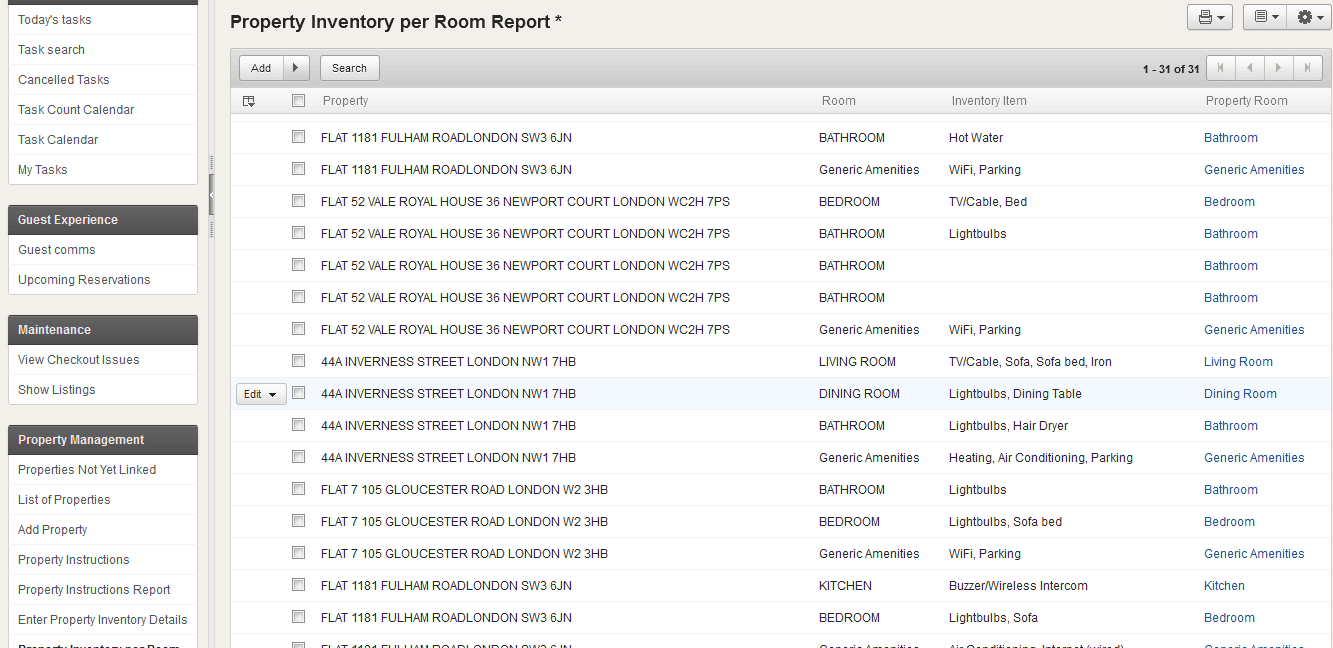
The Property Inventory per Room Report breaks each listing down by room — bathroom, bedroom, living room, kitchen, generic amenities — and what's in it, from WiFi and parking to hairdryers and hot water. Cleaning staff and owners are working from the same list.
One inbox for every guest and owner thread
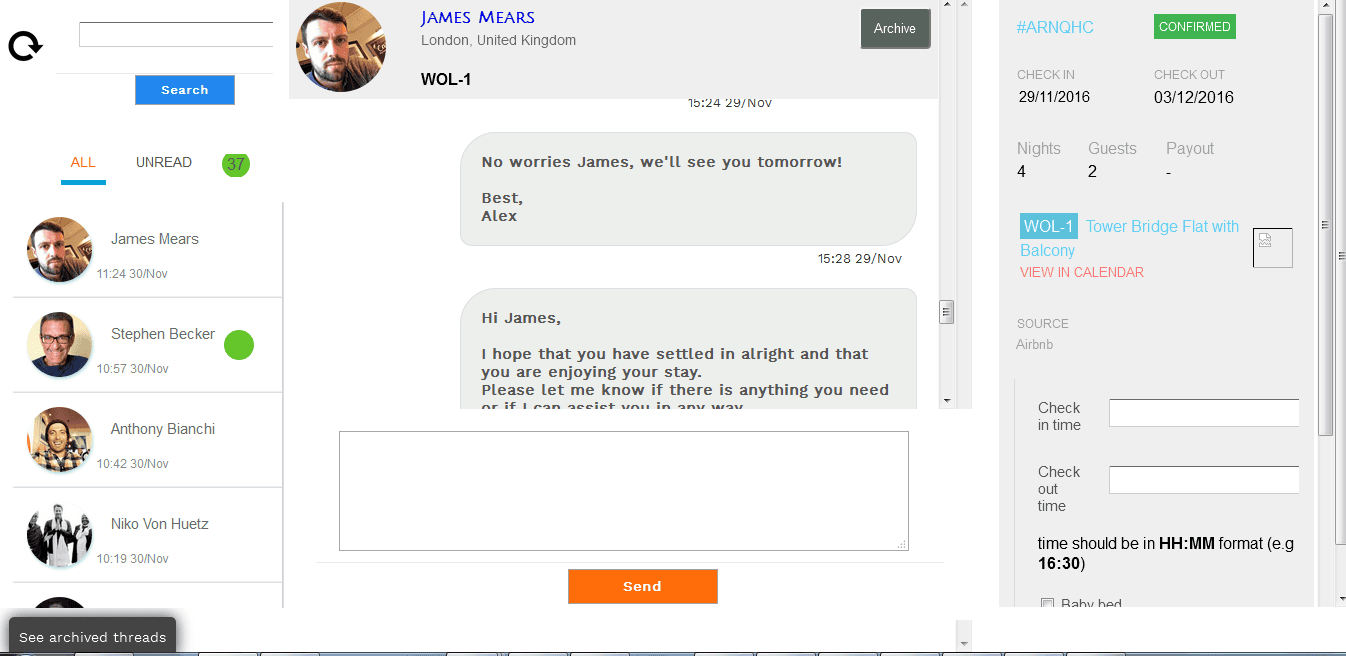
Guest and owner messages sit in a unified inbox pulled straight from the Airbnb thread, with the live reservation — confirmation status, check-in/out, nights, guests, listing — sitting right next to the conversation. Staff can archive, search, and reply without leaving the app.
Everything else the app runs quietly in the background.
Task Management
Today's tasks, task search, cancelled tasks, and a per-staff task calendar — every clean and check-in tracked to status.
Maintenance
Checkout issues logged against the listing they came from, with a live view of every property's current state.
Property Management
List of properties, properties not yet linked to Airbnb, and instructions reporting — the full portfolio in one register.
Review Log
Guest reviews logged and rolled up into a Review Analysis view, so recurring feedback surfaces instead of getting lost.
Pricing Analytics
Underlying pricing data feeds a dedicated Pricing Analytics Dashboard for rate decisions across the portfolio.
Settings & Access
List of Airbnb accounts, staff members and task statuses — the admin layer that keeps everything above it consistent.
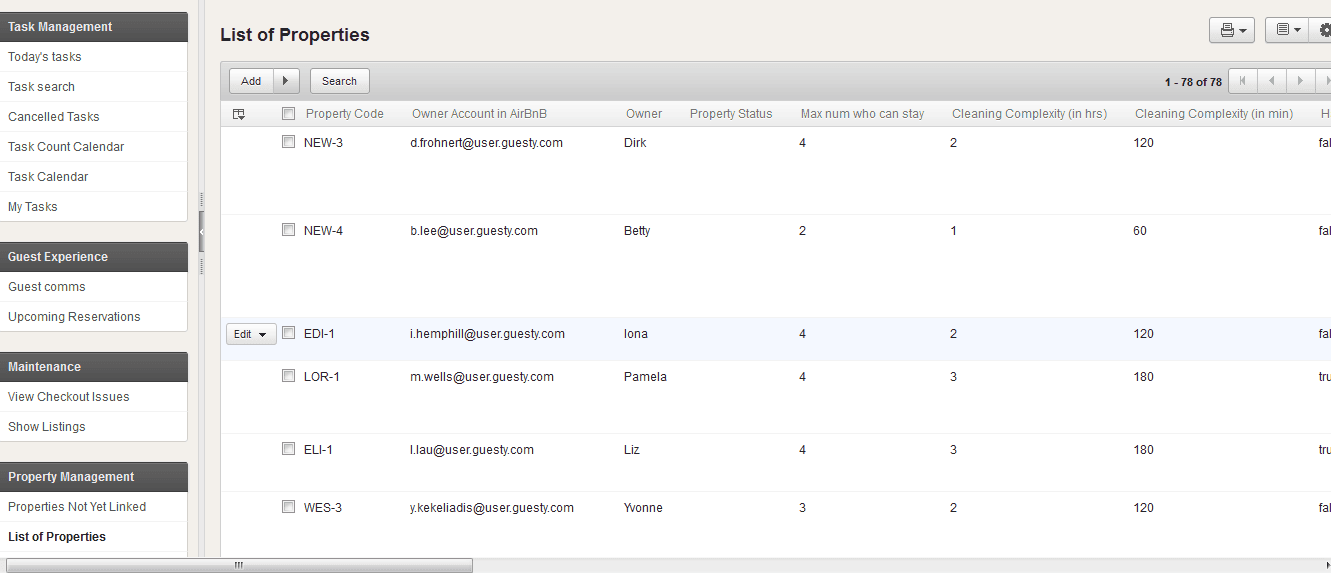
Every listing's owner account, occupancy limit and cleaning complexity — the record every other module reads from.


